123
8. Maintenance
ToreplacetheFilter(A):
NOTE:
• Beforereplacingthelters,wipeoffdustanddirtfromtheprojectorcabinet.
• Theprojectorisprecisionequipment.Keepoutdustanddirtduringlterreplacement.
• Donotwashthelterswithsoapandwater.Soapandwaterwilldamagetheltermembrane.
• Putltersintoplace.Incorrectattachmentofaltermaycausedustanddirttogetintotheinsideoftheprojector.
BeforereplacingtheFilter(A),makesuretoreplacethelampandFilter(B).(→page119)
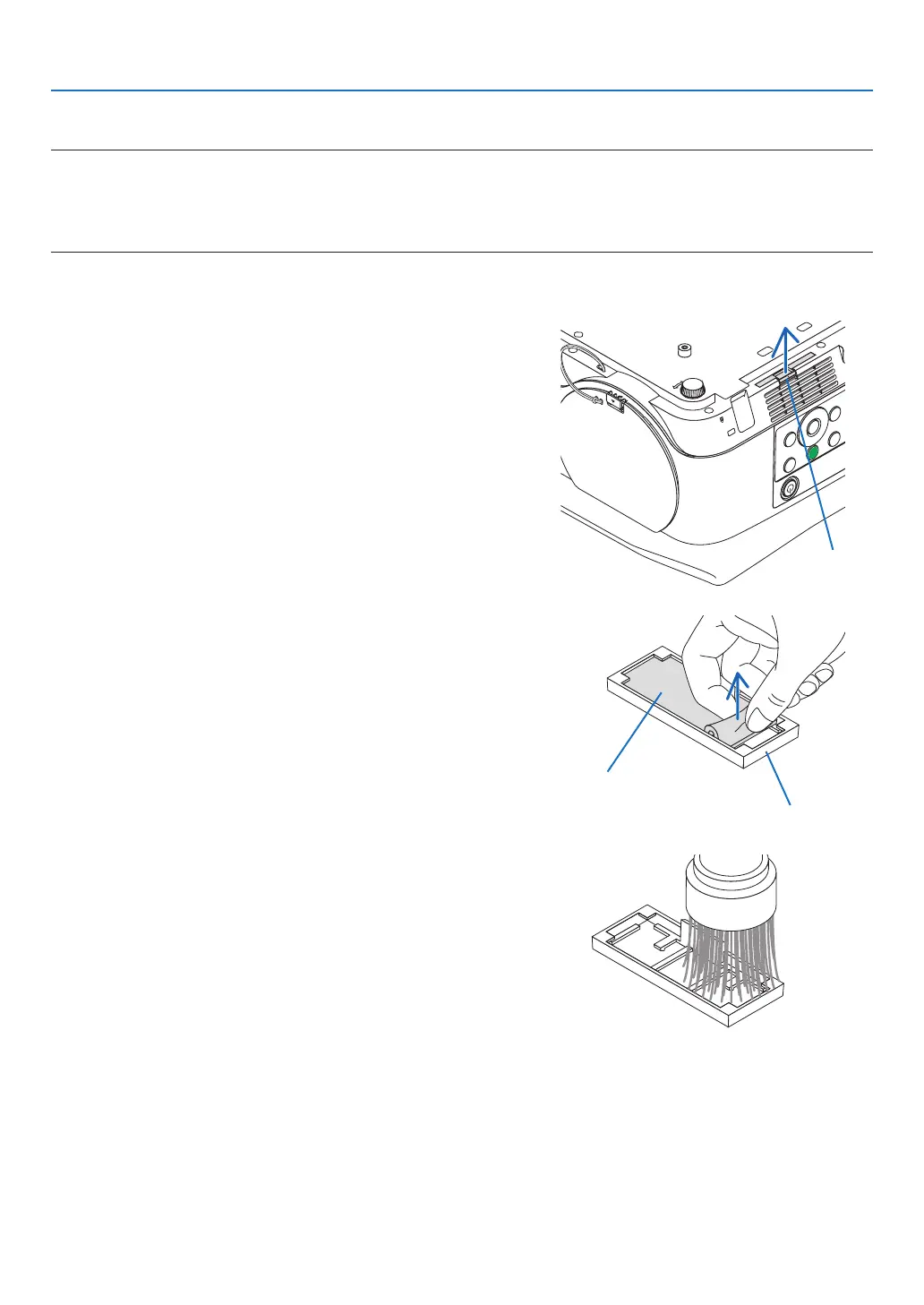
1. Pinch the knob at the bottom of the filter case and pull it out.
• IfyouputtheprojectorupsidedownforreplacingtheFilter(A)
as the illustration, please lay a mat as a cloth for protecting the
cabinet top from damage.
Knob
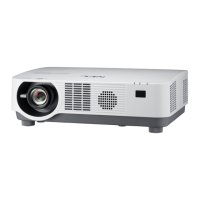
2. Remove the Filter (A) from the filter case.
Filter case
Filter (A)
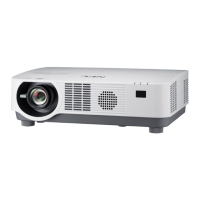
3. Vacuumallthedustoninsideandoutsideoftheltercase.
• Getridofdustaccumulatedontheintakeventontheprojector.



 To Next Page