81
5. Installation and Connections
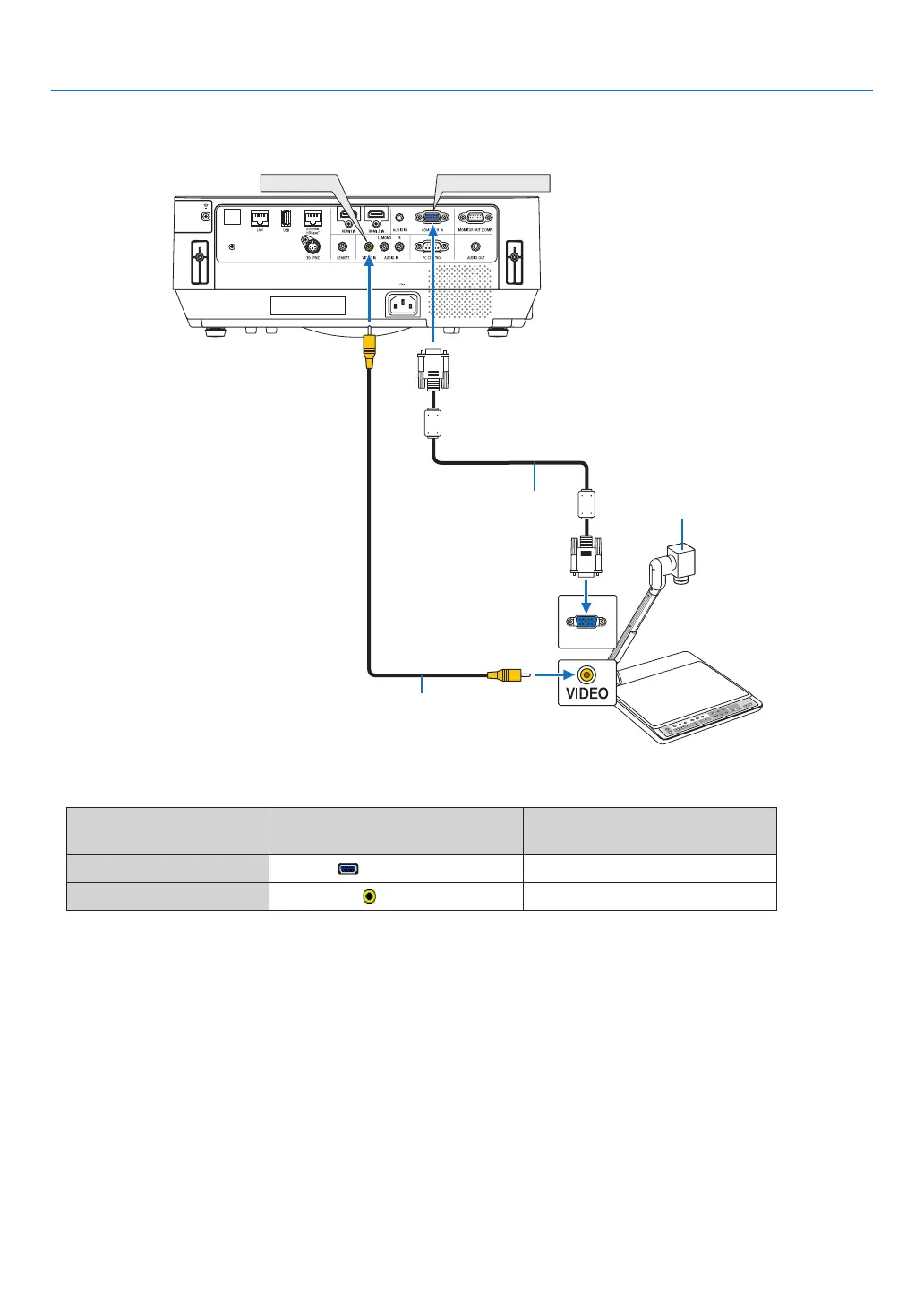
Connecting your document camera
Youcanconnectyourdocumentcameraandprojectprinteddocuments,etc.
COMPUTER IN
VIDEO IN
Name, position, and direction of
terminals are vary depending on
cameramodel.Pleasecheckuser's
manual of your camera for details.
Computer cable (VGA)
(supplied)
Video cable (not supplied)
• Selectthesourcenameforitsappropriateinputterminalafterturningontheprojector.
Inputterminal
SOURCEbuttonontheprojector
cabinet
Buttonontheremotecontrol
COMPUTERIN COMPUTER (COMPUTER1)
VIDEOIN
VIDEO
(VIDEO)



 To Next Page