12
2. Projecting an Image (Basic Operation)
❸ Turning on the Projector
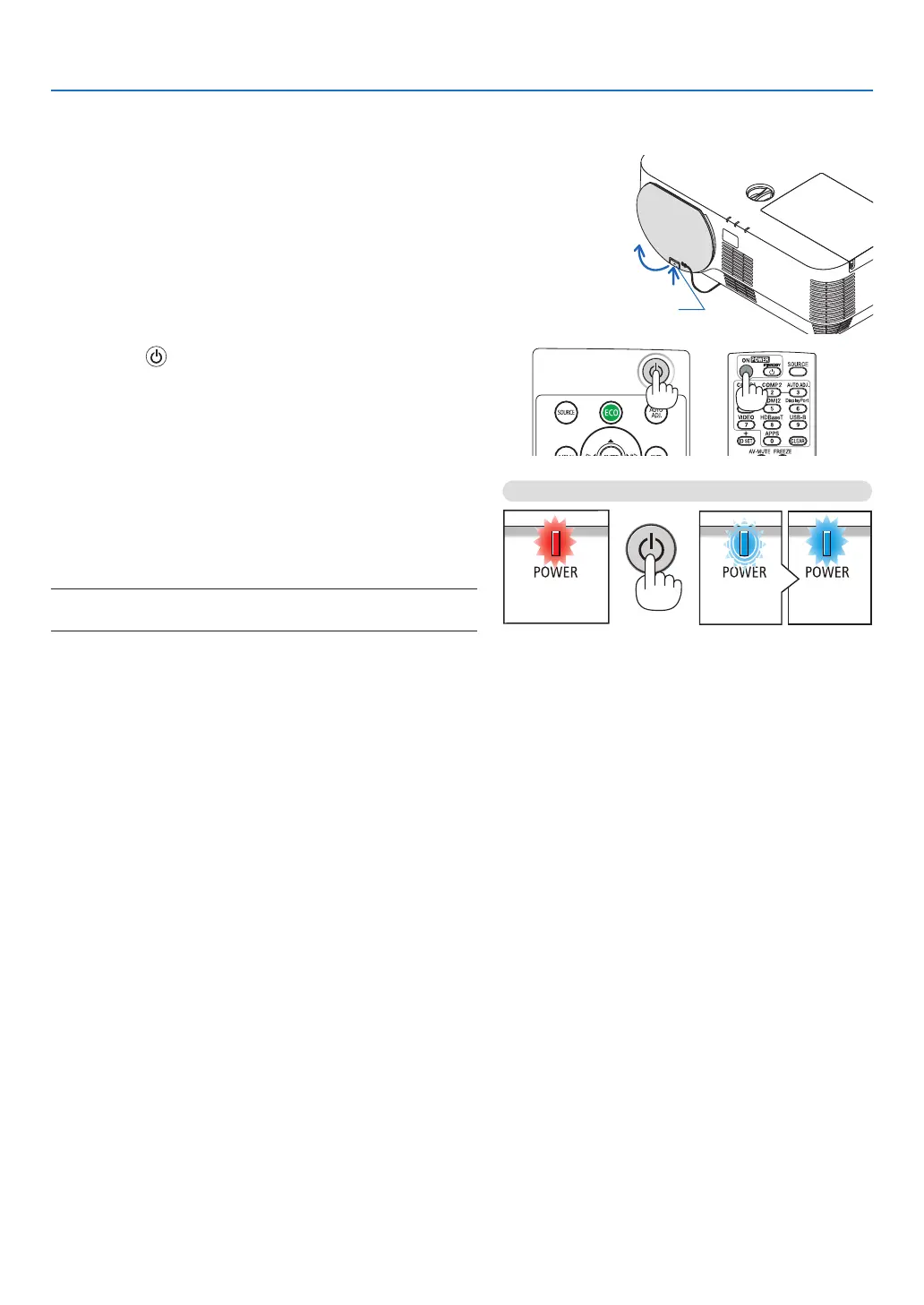
1. Remove the lens cap.
With the lens cap’s stopper pressed up, pull forward and
off.
Stopper
2. Press the (POWER) button on the projector cabinet
or the POWER ON button on the remote control.
The POWER indicator lights blue and the image is projected
on the screen.
TIP:
• Whenthemessage“PROJECTORISLOCKED!ENTERYOUR
PASSWORD.” is displayed, it means that the[SECURITY]
featureisturnedon.(→page31)
After you turn on your projector, ensure that the computer
or video source is turned on.
NOTE:Whennoinputsignalispresent,theno-signalguidanceis
displayed(factorymenusetting).
Standby Blinking Power On
Steady red light Blinking blue
light
Steady blue
light
(→page125)



 To Next Page