16
2. Projecting an Image (Basic Operation)
❺ Adjusting the Picture Size and Position
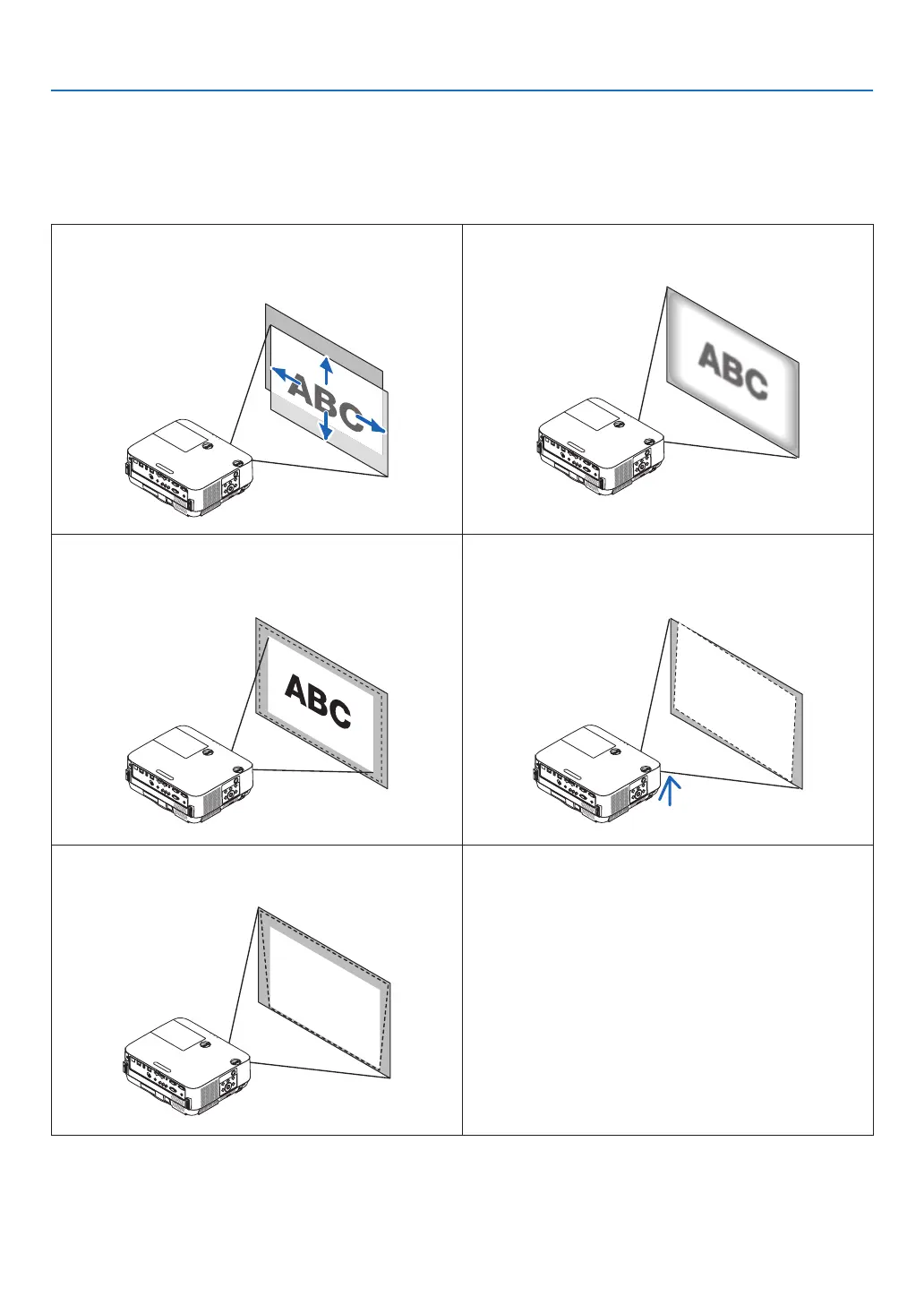
Usethelensshiftdial,theadjustabletiltfootlever,thezoomlever/zoomringandthefocusringtoadjustthepicture
sizeandposition.
Inthischapterdrawingsandcablesareomittedforclarity.
Adjustingtheprojectedimage’sverticalandhorizontal
position[Lensshift]
(→page17)
Adjustingthefocus[Focusring]
(→page19)
Finelyadjustingthesizeofanimage
[Zoomlever]
(→page19)
Adjustingtheprojectedimage’sheightandhorizontaltilt
[Tiltfoot]
(→page20)
Correctingthekeystonedistortion[Keystone]
(→page21)



 To Next Page