EasyManua.ls Logo

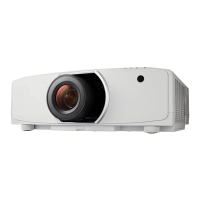
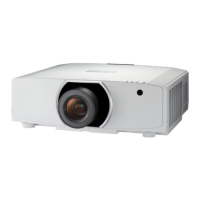
NEC P502WL - User Manual

NEC P502WL
147 pages
Print Icon
To Next Page IconTo Next Page
Loading...
Projector
P502HL/P502WL
User’s Manual
Model No.
NP-P502HL, NP-P502WL

Table of Contents

Other manuals for NEC P502WL

Questions and Answers

  • T
    Thomas BaileyNov 3, 2025
    Why are 3D images not displaying correctly on my NEC P502WL Projector?
    • C
      Christine BrownNov 4, 2025
      If 3D images are not displaying correctly on your NEC Projector, there could be several reasons. Ensure that the content you are playing is compatible with 3D. Check that the 3D mode is enabled in the projector's menu for the selected source. Verify you are using the recommended LCD shutter eyeglasses, and that they are switched on with charged batteries. Make sure the correct eyeglass method is selected in the menu. The viewing distance shouldn't be too far, and there should be no bright light sources or other projectors interfering. If using a computer, confirm it meets the 3D viewing requirements and is set for 3D output. Also, ensure there are no obstacles between the optical receiver of the 3D eyewear and the 3D emitter, and that the 3D format of the video content is supported. If the...

Summary

Important Information

Safety Cautions

General safety warnings and precautions for projector operation and installation.

Introduction

Projecting an Image (Basic Operation)

Connecting Computer and Power Cord

Instructions for connecting the projector to a computer and power source.

Turning on the Projector

Procedure for powering on the projector and initial startup.

Selecting an Input Source

How to choose the active input signal for display.

Installation and Connections

Projector Setup and Screen Positioning

Guidance on projector placement, screen sizing, and throw distances.

Making Input Connections

Instructions for connecting various input devices like computers and AV equipment.

User Supportware

Geometric Correction for Angled Projection

How to correct image distortion when projecting from an angle.

Remote Projector Control via LAN

Instructions for controlling the projector remotely via a network connection.

Appendix

Troubleshooting Common Problems

Helps resolve common problems encountered during setup and operation.

Projector Specifications

Technical details and performance characteristics of the projector.

NEC P502WL Specifications

General IconGeneral
Brightness5000 lumens
Display TechnologyDLP
Zoom Ratio1.2x
Projection Size30 - 300 inches
Contrast Ratio20000:1
Connectivity / Input PortsHDMI, VGA, Composite Video
Output PortsAudio Out
Control PortsRS-232C
Throw Ratio1.5 - 1.8
Keystone CorrectionVertical
Video Compatibility480i, 480p, 720p, 1080i, 1080p
Resolution1280 x 800 (WXGA)

Related product manuals