18
2. Projecting an Image (Basic Operation)
TIP:
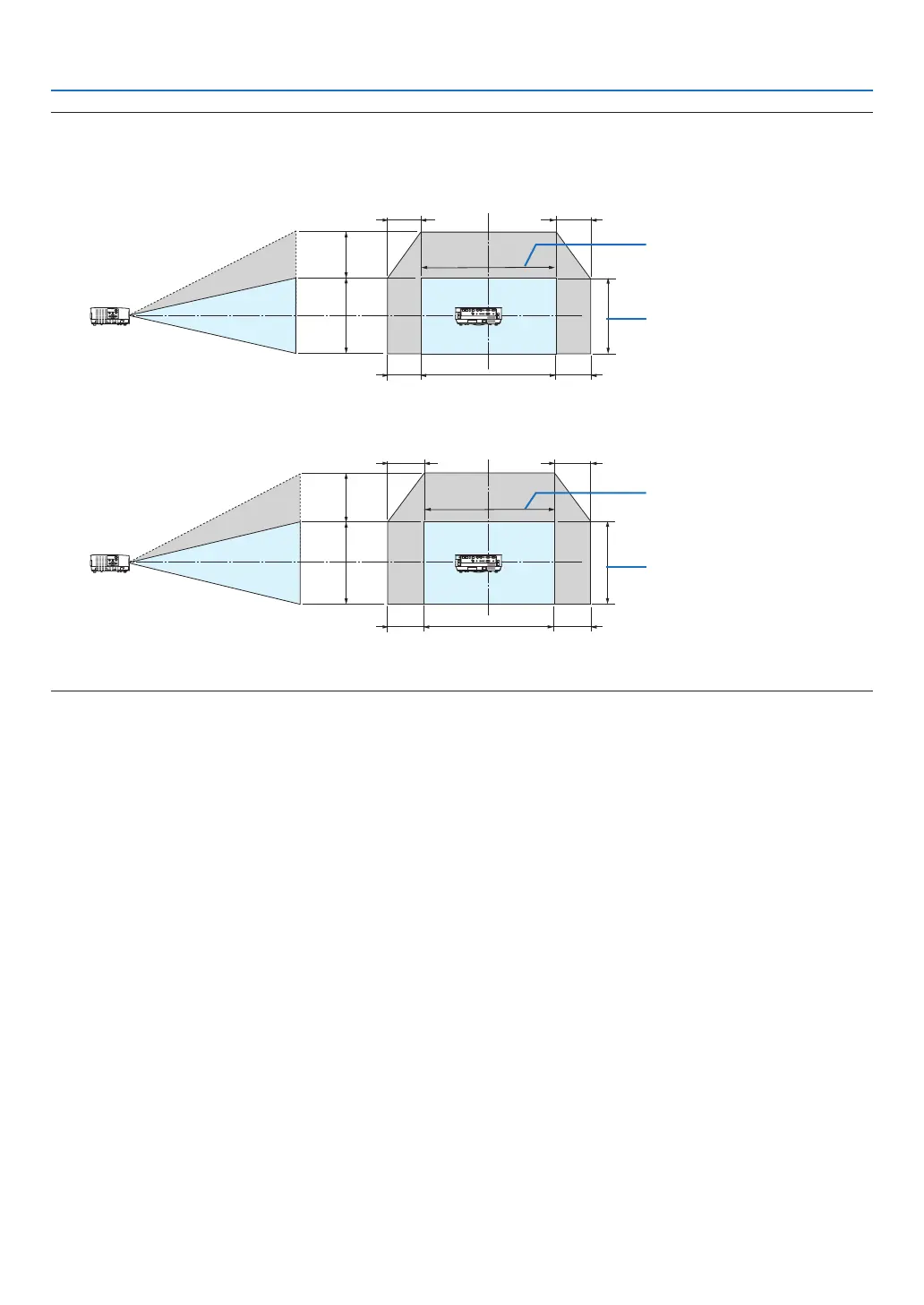
• Thediagrambelowshowsthelensshiftadjustmentrange([ORIENTATION]:[DESKTOPFRONT]).
• Forthelensshiftadjustmentrangeregardingthe[CEILINGFRONT]projection,seepage73.
[P502H/P452H]
100%V
62%V
100%H
25%H
25%H
25%H
25%H
Height of projected image
Width of projected image
[P502W/P452W]
100%V
59%V
100%H
28%H
28%H
28%H
28%H
Height of projected image
Width of projected image
Descriptionofsymbols:Vindicatesvertical(heightoftheprojectedimage),Hindicateshorizontal(widthoftheprojectedimage).



 To Next Page