© by NECTA VENDING SOLUTIONS SpA
31
00301 162-00
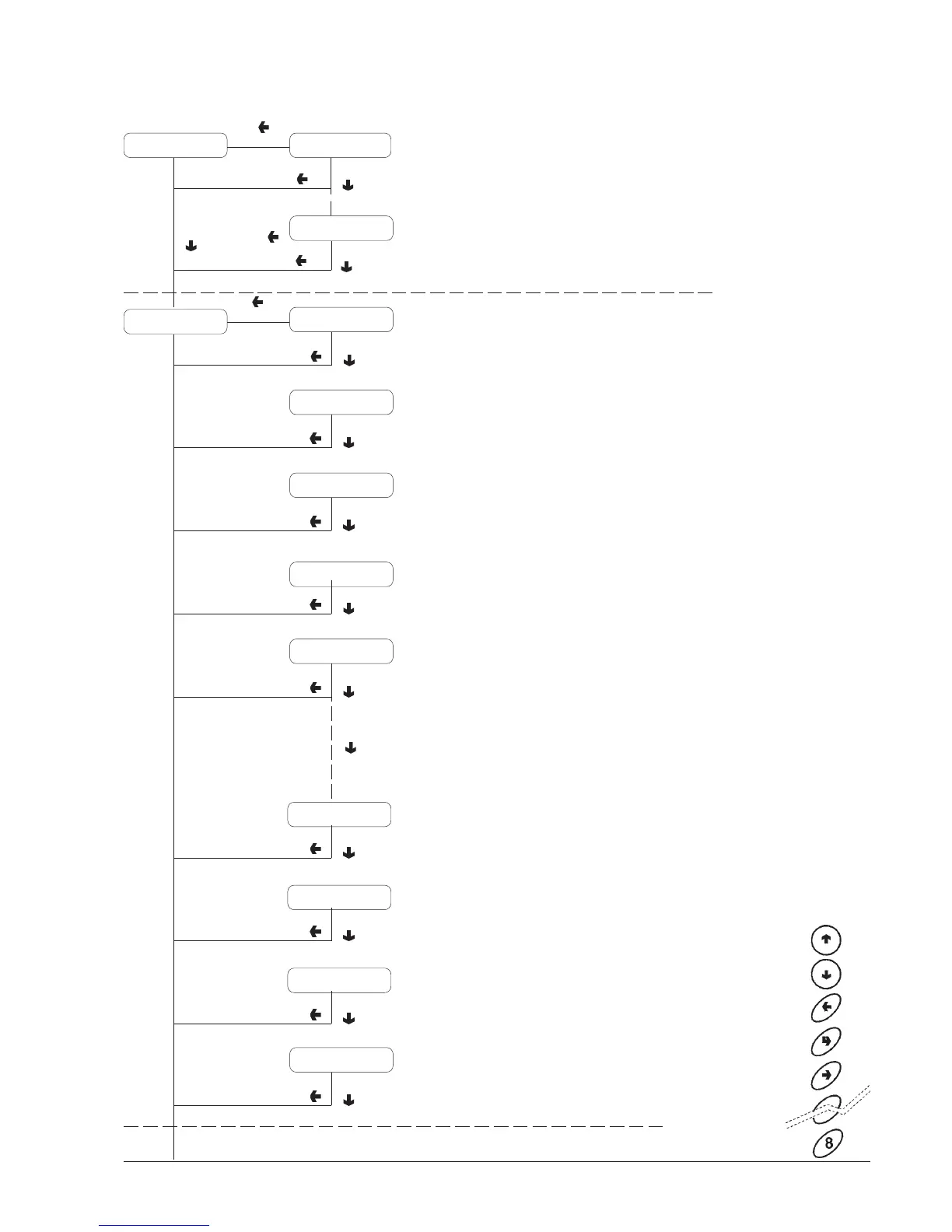
Reading data
DISPLAYING STATISTICS
PREVIOUS FUNCTION/
DECREASE DATA UNIT (-1)
NEXT FUNCTION/
INCREASE DATA UNIT (+1)
DELETE DATA/
EXIT FUNCTION
CONFIRM DATA/
CONFIRM FUNCTION
CHANGE DATA
Automatic data reading
scrolling at one second
intervals
MDB AUDIT
Press button "8 " to display
statistics for each selection
(1 - 8)
DISPENSING BY
SELECTION
Refer to the selection dose
table for the correspondence
between dose code and
water or powder dose
P = paid selections
F = free selections
T = test selections
Total selections without cup
D = discounted selections
Sel. N. 8 G= xxxx
Sel. N. 8 D= xxxx
Sel. N. 8 T= xxxx
Sel. N. 8 P=xxxx
Sel. N. 1 D= xxxx
Sel. N. 1 T= xxxx
Sel. N. 1 F= xxxx
Sel. N. 1 P=xxxx
No cups
Statistic N. 2
Audit 12 = XXXX
Audit 0 = XXXXStatistic N. 1
1 -Money in the tubes
2 -Money to the tubes
3 -Money to the box
4 - Change return
5 - Excess
6 - Releasing tubes
7 - Filling tubes
8 - Cash sales
9 - Cashed bills
10 - Charging key
11 - Sales with key
12 - Money dispensed
manually










 To Next Page