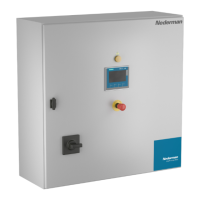
HV Control Panel
19
EN
6.4 Main
(A) The Status eld
TheStatuseldisusedformessages:
• O,PressStart
• Standby,Waingforpilotsignal
• Running
•
Startinhibitbyremote
• Idling-novacuum
• Alarm
(B) Indicators
Theroundindicatorsontheleshowthestatusoftheproduct,andifthereisawarningor
analarm:
• Greenindicateswhichmodetheproductisin:O;StandbyorRunning.ThePilot
signalisgreenifitisacvated.
• Yellowifthereisawarning.
• Redifthereisanalarm.
(C) Right (forward) and le (back) buons
Themainwaytonavigateforwardtothenextscreenorbacktoapreviousscreeninthe
controlpanelisbyusingthearrowsontheboomrightandlecornersonthepanel.
Insomescreens,thereisnotenoughspaceforrightandlearrows.PresstheHomebuon
togobacktotheMAINscreen.See6.1. Physical buons.
FromtheMAINscreen,usethelearrowtogototheStartscreen.
(D) Sengs buon
PresstheSengsbuontogototheSengsscreen.
(E) Alarm buon
PresstheAlarmbuontogototheAlarmscreen.


 To Next Page