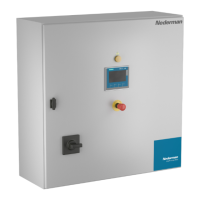
HV Control Panel
33
EN
Thepulseandpausearesetdependingoncurrentdierenceinpercent.Withadierence
lessthan“Dierencelowspeed”therearenopulses.
Actualmotorcurrentisdisplayed.Anindicatorshowingopening/closingsignalsinrealme
willimprovetheunderstanding.
TheSetpointshallbeadjustedfortheactualVAC.SeetheVAC20instruconmanual.
ThereisabuonforaTrendsdiagram.TheTrenddiagramisusedfordiagnoscpurpose.
ASC Range Default Used
ASC Range Default
Setpoint
0-99,9A 35 A
Di.highspeed 0-99,9% 10,0%
Di.lowspeed 0-9,9% 5,0%
HighspeedPause/Pulse 0-9999/0-9999 ms 2000 / 750 ms
LowspeedPause/Pulse 0-9999/0-9999 ms 5000 / 400 ms
*TypicalsetpointforVAC202500-4000is35Aat400V.ForVAC201500thesetpointis27A.
LCC Range Default Uesed
LimitstartAuxVAC 0-99 A 65 A
LimitstopAuxVAC 0-99 A 40 A
DelaystartAuxVAC 0-999 s 120 s
DelaystopAuxVAC 0-999 s 120 s
Auxstart@ush 0-99 A 50 A
6.9 System sengs
Thefollowingvefunconsareaccessibleattheuserlevel:
Set Screen Brightness.
Thescreenbrightnesscanbesettoavaluebetween0%and100%.
Calibrate Touch Screen.
Ifnecessary,adjustthecalibraontomakesurethatthecorrectitemisselectedwhen
pressingonthescreen.
Acvate Clean Screen
Thisfuncondisablesthetouchsurfaceinordertocleanit.


 To Next Page