6.2 Program files
6-4
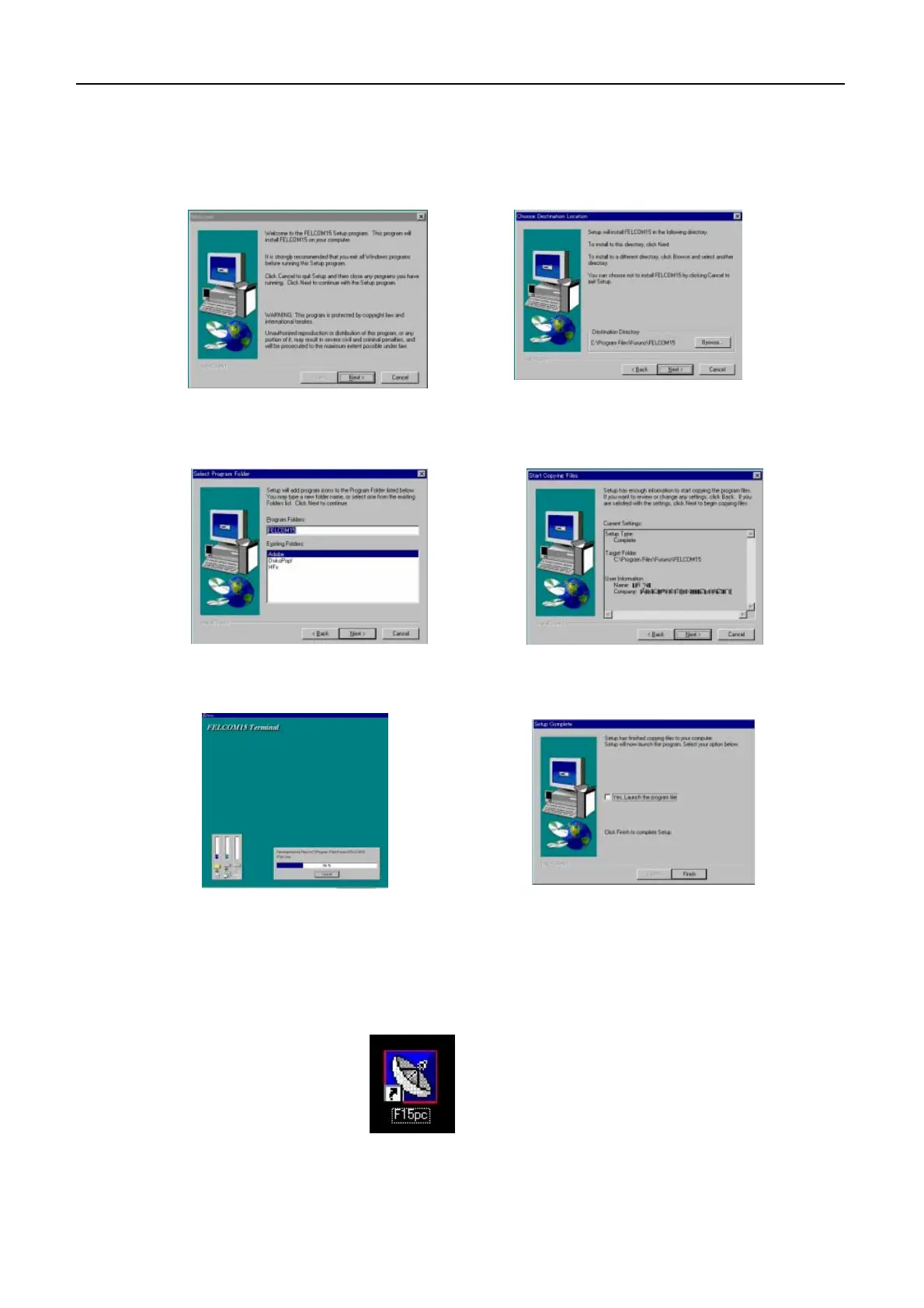
“F15PC.EXE” icon
1. Click “NEXT”.
2. Check the folder to which the program
is installed and then click “NEXT”.
3. Click “NEXT”.
5. Wait until the process is completed.
6. Click “Finish”.
4. Click “NEXT”.
3. Follow instruction which appears on the screen. When updating Nera C
terminal software, overwrite "F15PC.EXE" file.
software, double click "F15PC.EXE" icon.
4. After installation, turn off the PC and on it again. To run Nera C terminal


 To Next Page