AP4.9 Function settings
AP4-20
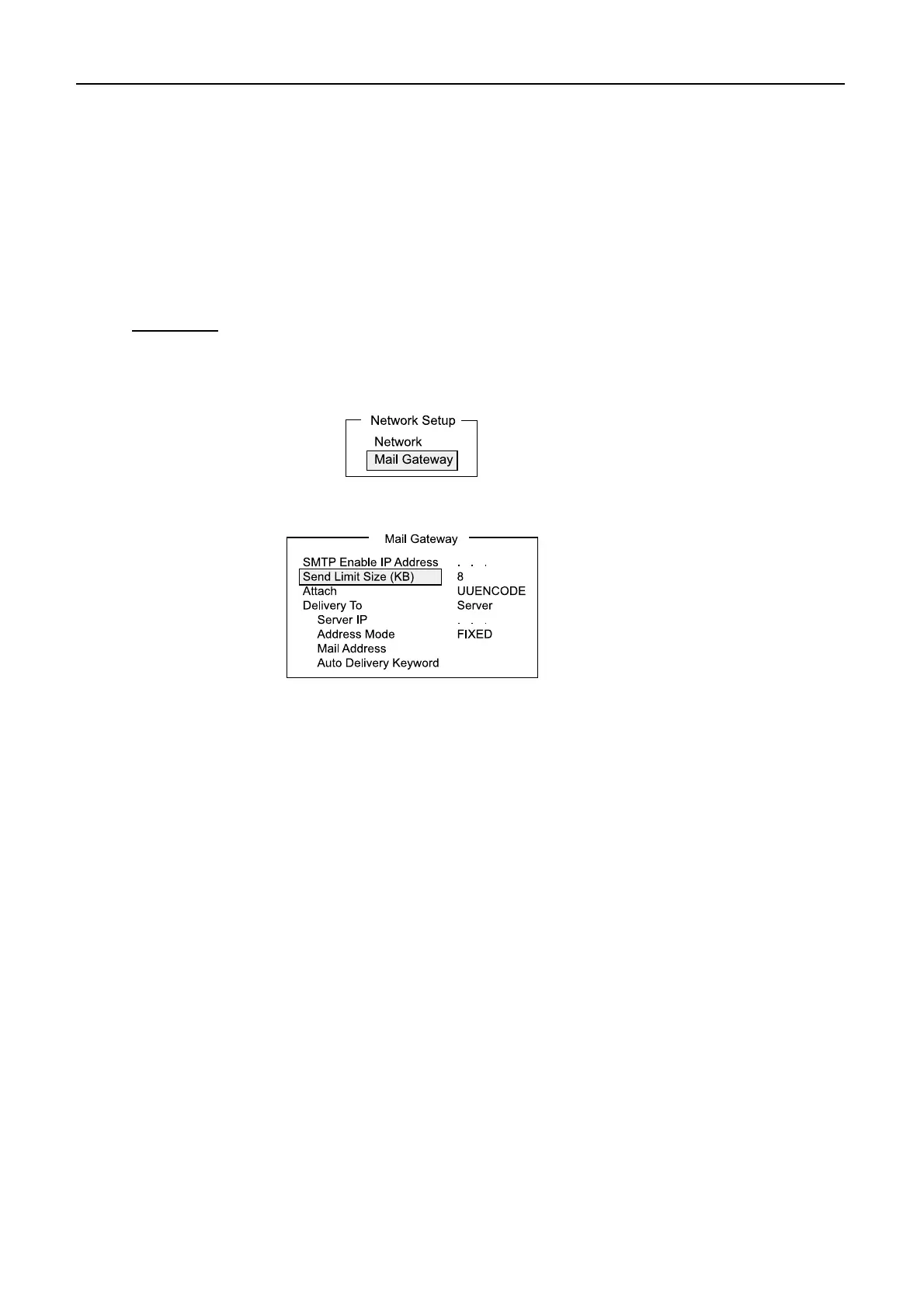
AP4.9.5 Message size
message size is larger than the preset value, the message is not sent out with “Data size
too large” indication.
Note that an attachment is encoded and its size increases about 1.5 times.
Procedure
1. Press [F8][2] to open “System Setup” menu.
2. Select [Network Setup], followed by [Enter].
3. Select “Mail Gateway”, followed by [Enter].
4. Select “Send Limit Size (KB)”, followed by [Enter].
5. Choose the maximum message size among 2, 4, 6, 8, 10 and 32.
6. Press [Esc] to show [Update].
7. Select “Yes”, followed by [Enter].
8. Press [Esc].
The Nera C administrator may limit the size of outgoing messages. When the


 To Next Page