AP4.8 Connection and setting
AP4-11
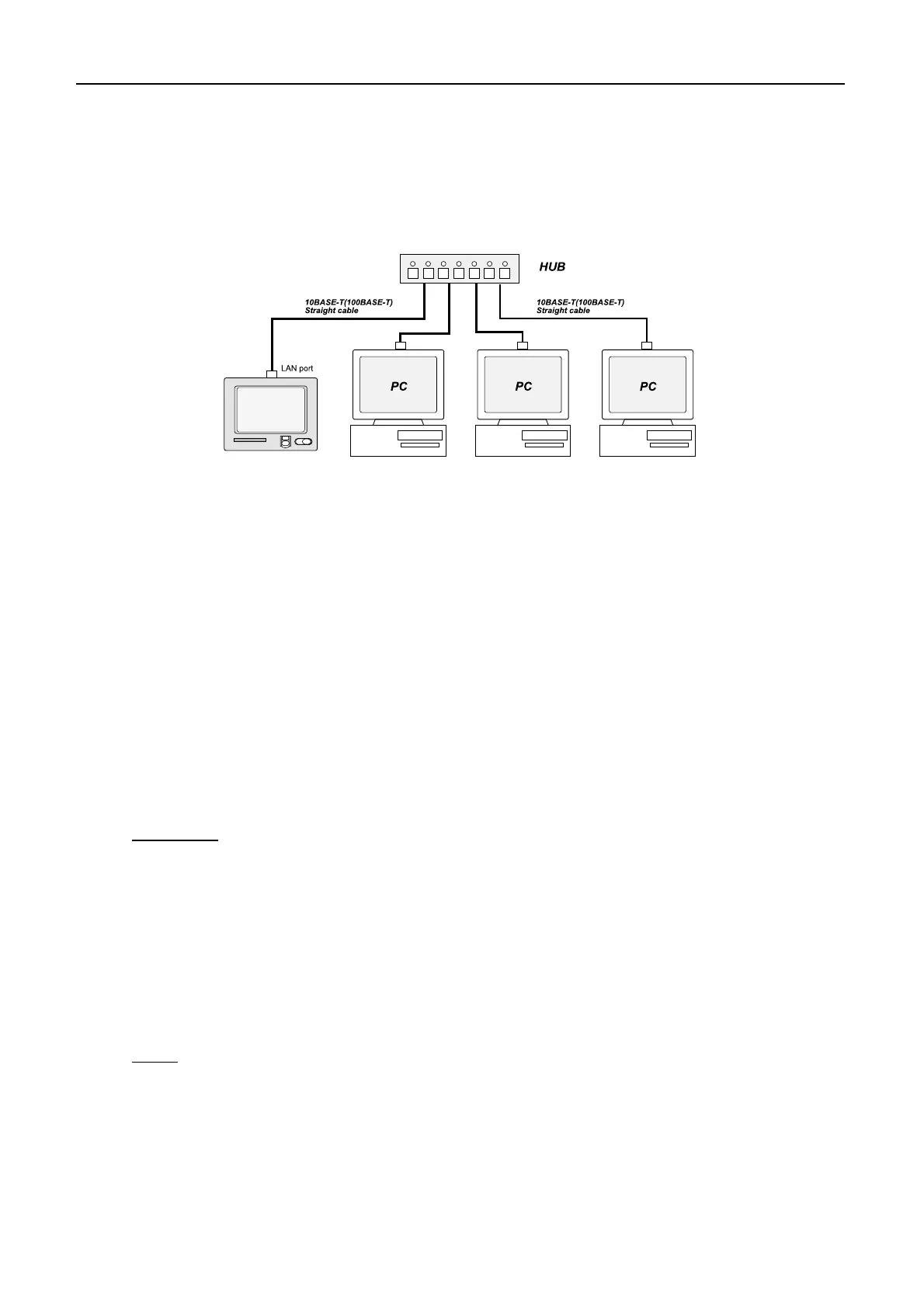
AP4.8.2 Connection of multiple PCs
the network. Once the message is transferred, it is no longer retrieved.
Note)See page AP4-26
1. Parts required
- Hub (When 100BASE-T PC is connected, a switching hub is needed.)
- 10BASE-T or 100BASE-T straight LAN cable
- PC (with LAN port or LAN card)
2. Connection
Hub.
Default settings of IP address and subnet mask are as below. Change these values if
necessary.
- IP address : 172.31.16.1 (Default)
- Subnet mask : 255.255.0.0 (Default)
Procedure
4. Setting on PC
For example)
- IP address : 172.31.x.x
Note)
- Subnet mask: 255.255.0.0
Note)
“Ping” command. See page AP4-32.
Received messages are stored in the Nera C and retrieved by one of the PCs in
Using the straight LAN cable, connect Nera C and LAN port on the PC to the
3. Setting on Nera C
Refer page AP4-9 "3. Setting on Nera C" .
except for"172.31.16.1".
IP address assigned to the PC is from "172.31. 0.1" to "172.31.255.254"
After setting, check the connection between Nera C and PC by using
Nera C
Make network settings on the PC. For details refer to the PC's owner's manual.


 To Next Page