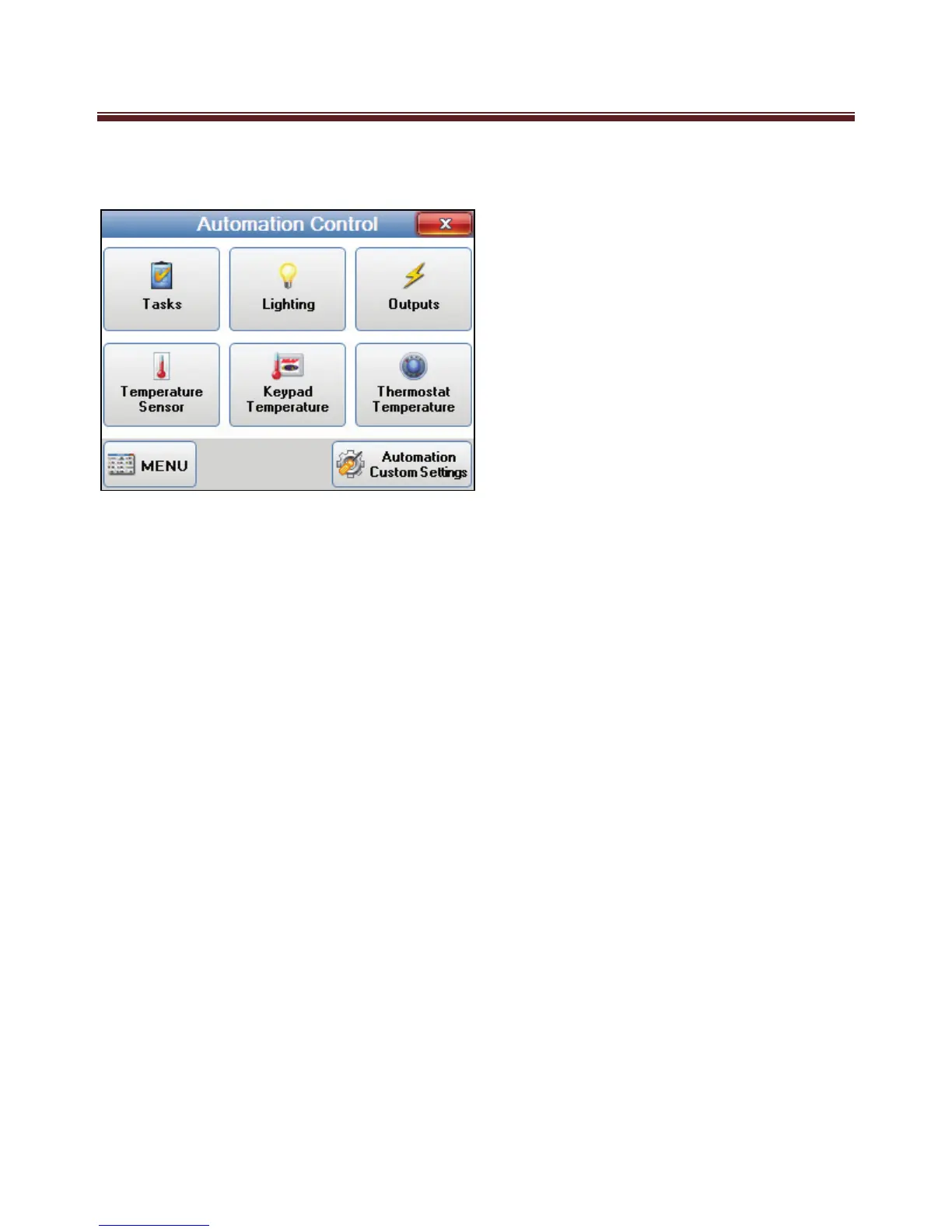
Automation Control
The Automation Control screen is displayed when the “Automation button” is selected
in the Main Menu.
This screen provides access to the 6 Automation options:
Tasks
Lighting
Outputs
Temperature Sensor
Keypad Temperature
Thermostat Temperature
An Automation Custom Settings button has also been added to this page for access to
Automation Custom Settings.
To step back to the Main Menu, press the Menu button at the bottom left corner of the
keypad.
To exit the menu and go back to the main screen, press the red close button on the top
right of the screen.


 To Next Page