Introduction
Congratulations on purchasing a Navigator Keypad as part of your featured packed M1
Security and automation controller.
The Ness M1 Navigator is a revolutionary Touch Screen interface for use with the Ness
M1 Gold and M1 EZ8 / EZ16 series Cross Platform Controllers.
The Navigator is the latest world class user interface which leads the industry in providing
a fully featured powerful and simple to use interface. The large touch sensitive 3.5” colour
LCD with easy-to-navigate menus makes it easy to use and operate your Ness M1
Security and Automation system.
This manual aims to show you the many features within the Navigator
Touchscreen keypad and how to navigate and use menus within this keypad.
Full operation of your M1 Security and Automation control panel should be
viewed in conjunction with your User Guide that is supplied with the Ness
M1 Control Panel.
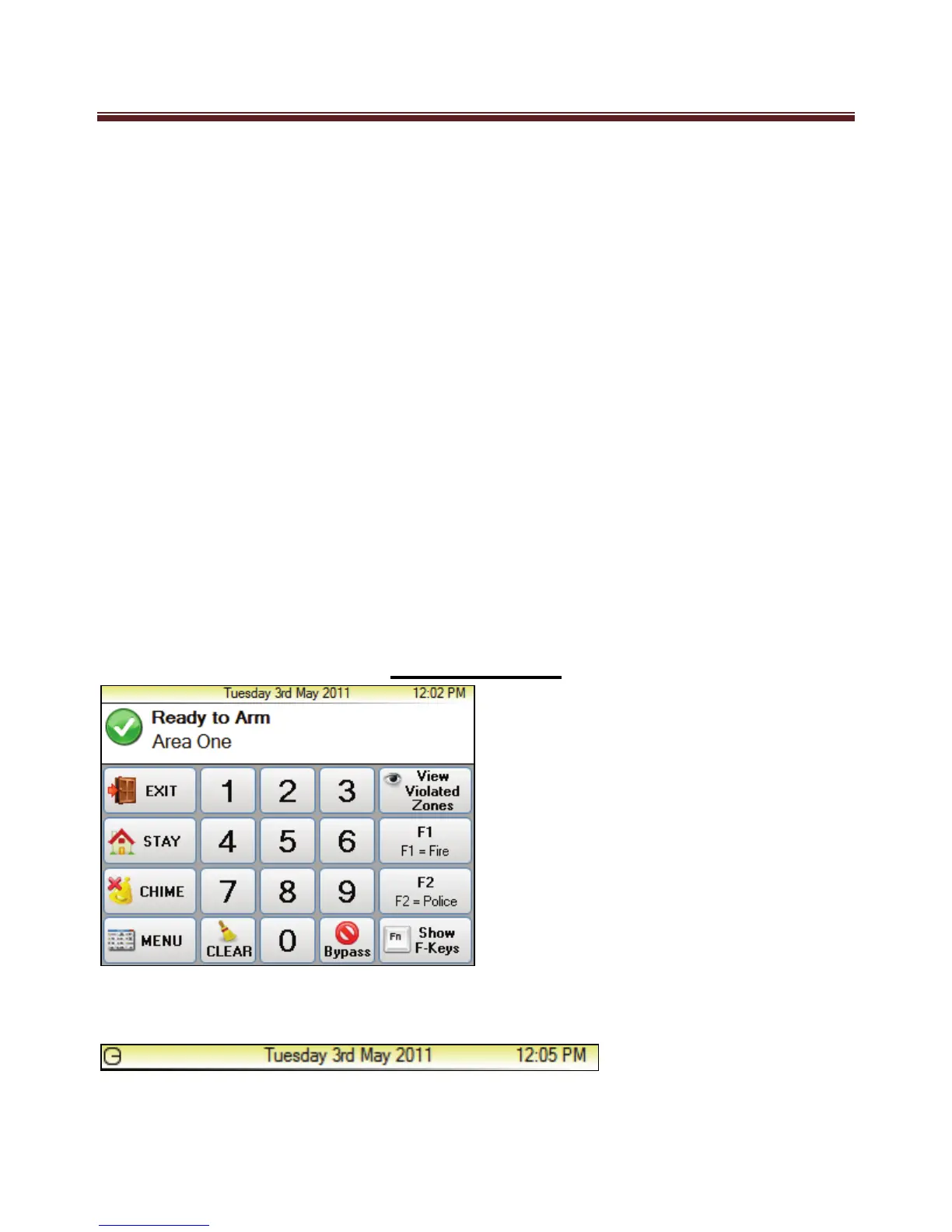
Main Screen
The top strip of the main screen displays the current time and date as programmed in the
M1 Controller.


 To Next Page