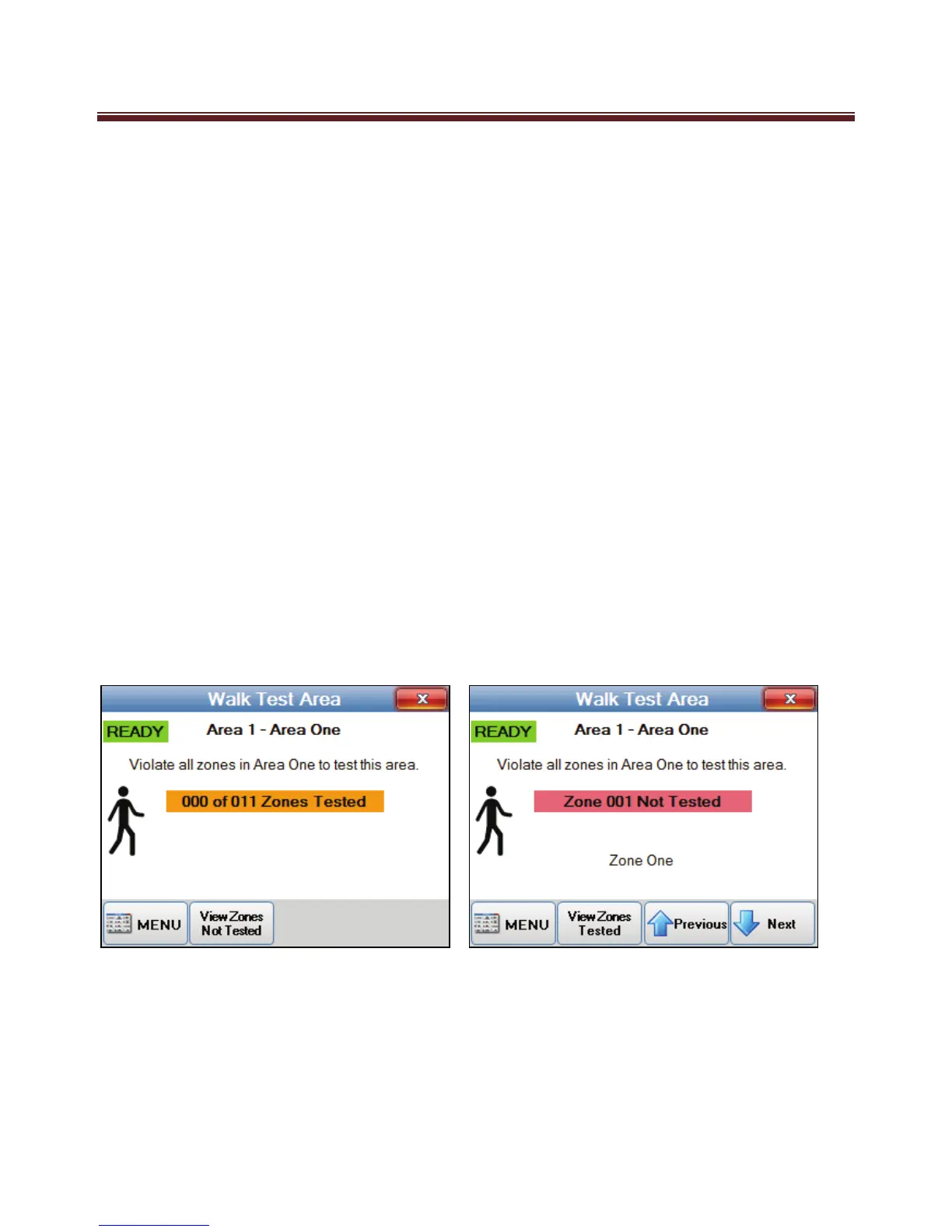
Walk Test Area
ALL security system should be tested at regular periods. We recommend testing your
system once a week.
If your system does not have advance features your M1 has then you can not be
guaranteed your system is working to a level you, your family and property are protected
by a fully working system.
The M1 Navigator has a full zone testing feature that makes it simple to test your system
without annoying family of neighbours as you test.
Simple select “Walk test Area”. Once in the test more, you simply just need to activate all
your detection devices e.g. activate door sensor, motion detectors etc) and then return to
your Navigator screen which will display how many zones were successfully test. Any
zones that failed to detect or were not tested can be viewed by pressing the “View Zones
Not tested”. If you missed the listed zones during your walk test then you can retest it to
confirm it is working.
This is a simple easy testing process that doesn’t require sirens blasting during your tests
and you are confident all your detection devices are doing as expected.


 To Next Page