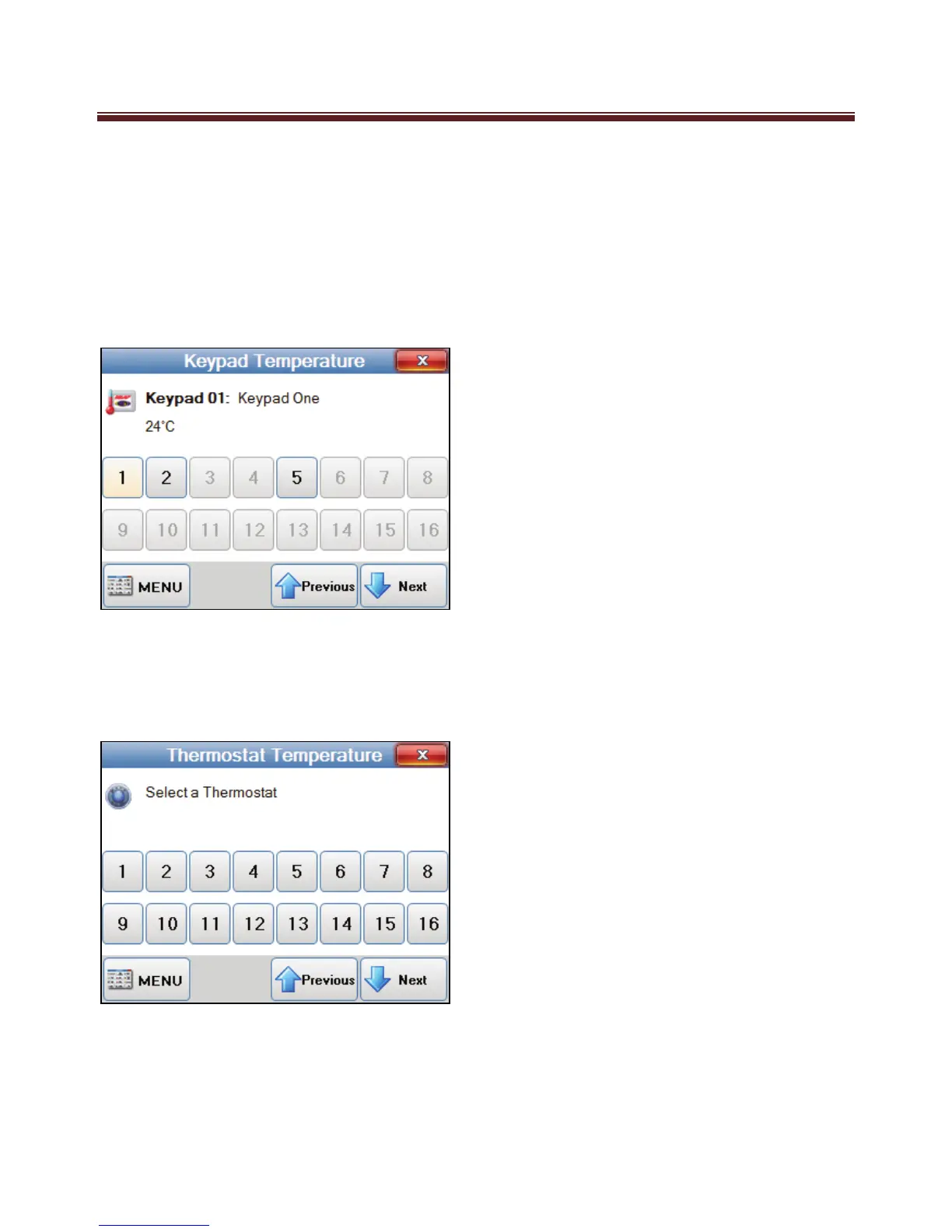
Keypad Temperature
If your M1 system includes KP1 Model keypads, which includes a Temperature Sensor,
the temperature of these keypads can be displayed on the Navigator keypad.
To view the keypad temperatures press the “Keypad Temperature” option from the main
menu screen. Then select the keypad address which will in return display the temperature
Note: The Navigator keypad does not include a temperature sensor.
Thermostat Temperature
If your M1 system includes communicating thermostats to control your HVAC system the
temperature of these thermostats can be viewed on your Navigator keypad.
To view the Thermostat
temperatures press the
“Thermostat Temperature”
option from the main menu
screen. Then select the
Thermostat address which will
in return display the temperature


 To Next Page