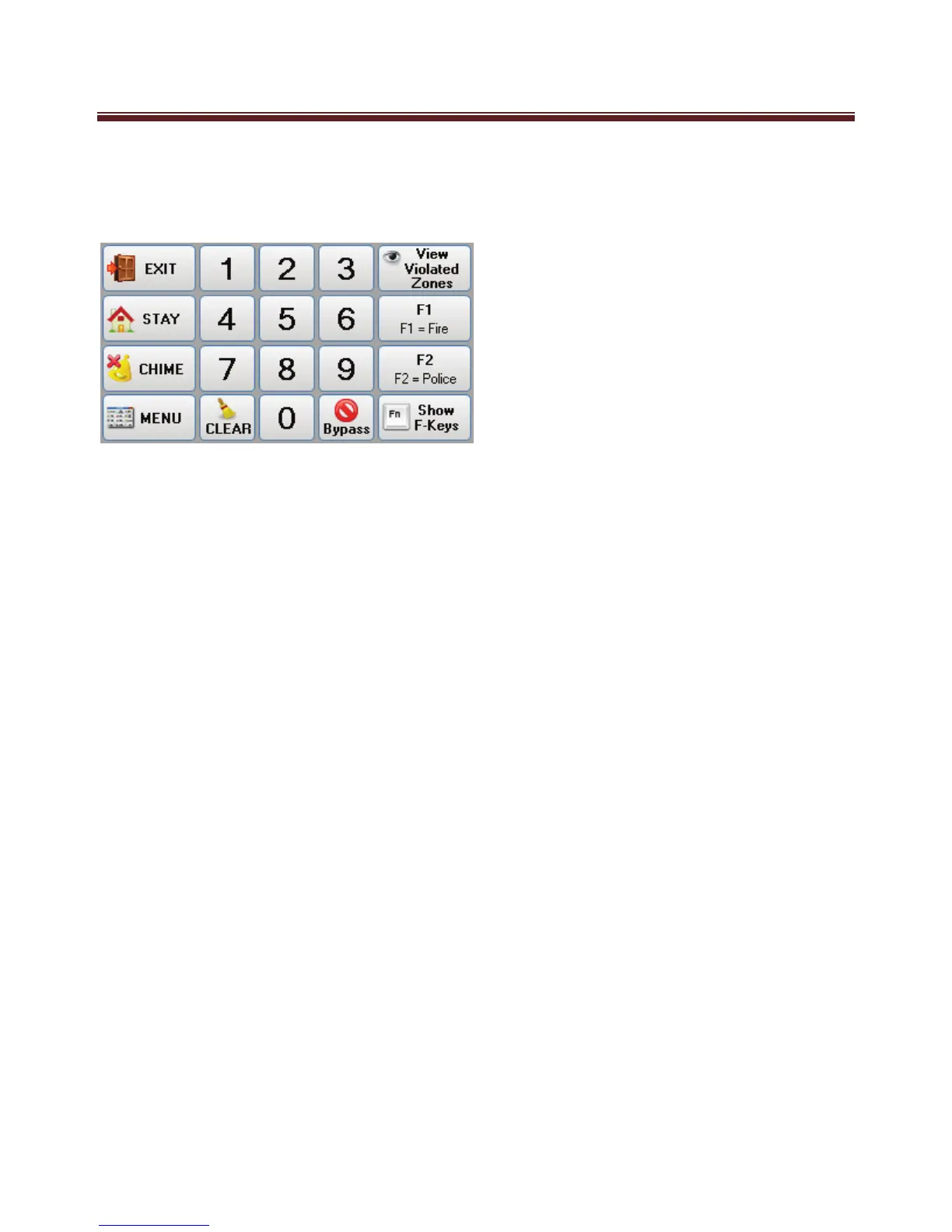
Main Screen Button
On the main screen is a numeric keypad along with several other buttons.
Along with the “Exit”, “Stay”, “Chime” buttons that function as detailed in the M1 User
Guide, is the following buttons unique to the Navigator Keypad.
“Violated Zones” – When pressed will display (one at a time) any violated (Unsealed)
zones on the M1 Security controller.
“F Keys” - There is 6 “F Keys (shortcut Function Keys) that allows your installer to setup
to operation “quick” function operations of your system. F1 and F2 are displayed on the
main screen. The show F-Keys button is used to display all function key buttons (F1 to
F6) which temporarily replace the other buttons on the right and left side.
“Menu” – The Menu buttons temporarily takes you from the ‘Main Screen’ to alternative
system Menu functions as detailed below.


 To Next Page