29
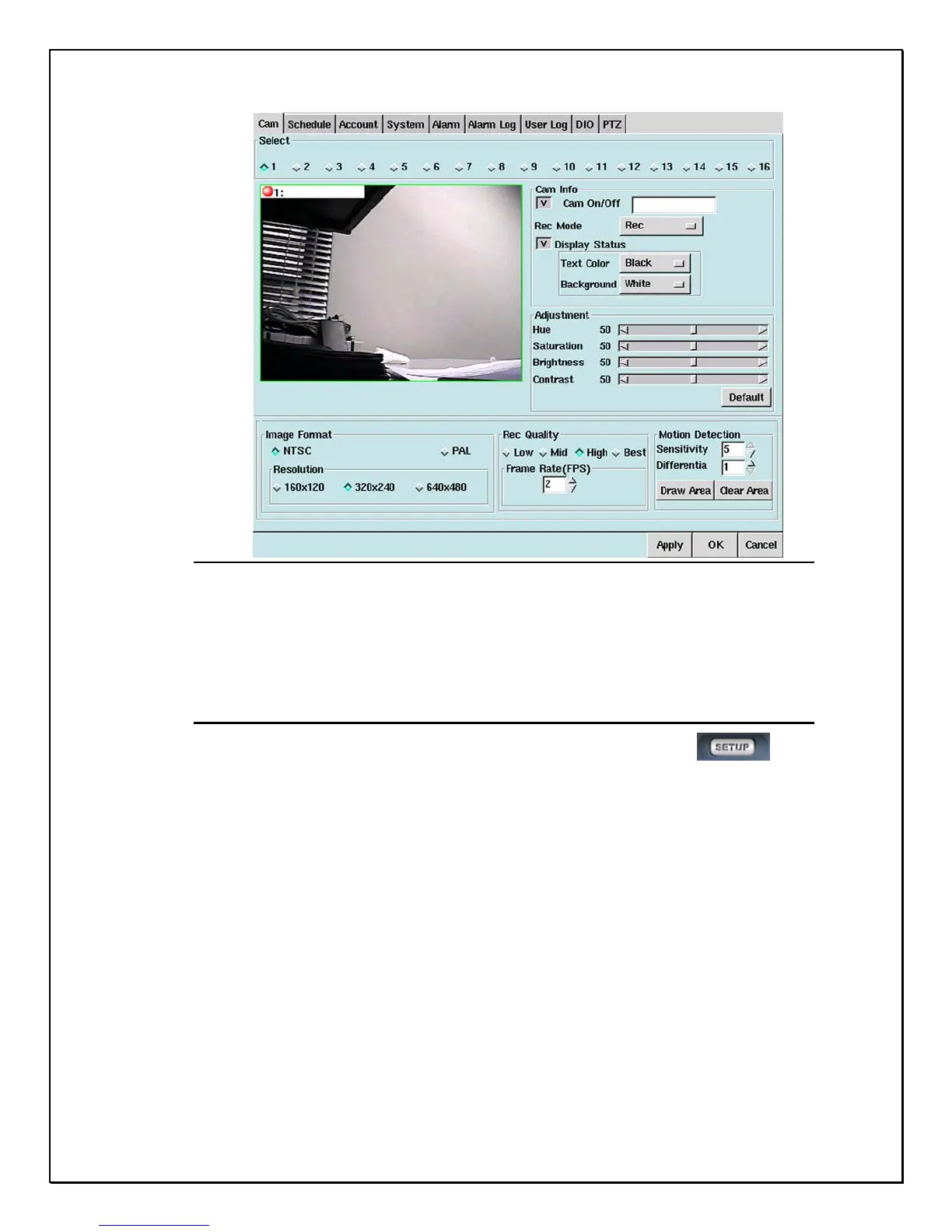
Figure 3-2: The Settings Main Screen “ example shown “
Clicking on separate “windows” will display different settings for the PRO 16/8
RAID DVR. The first window is the Camera screen (as shown above). See the
chapter on “Configuring your ¹” much later in this manual.
Playback Panel
1. Step 1: Click the playback icon on the right-side toolbar………………….
2. Step 2: View the database of videos under the Playback Screen. Click on a selected file
and play the recorded data. (The red circle indicates the playback window & video
images).



 To Next Page