43
“Once” Only Scheduling
Scheduling the Digital Video Recorder to record using the “Once” option gives
users the choice to set the Day, Month, and Year, and then select a particular
time for that date. The benefit is to create individual times for different cameras
giving users the freedom to choose activate cameras at different times. This can
be for PTZ, Dome cameras, and normal cameras.
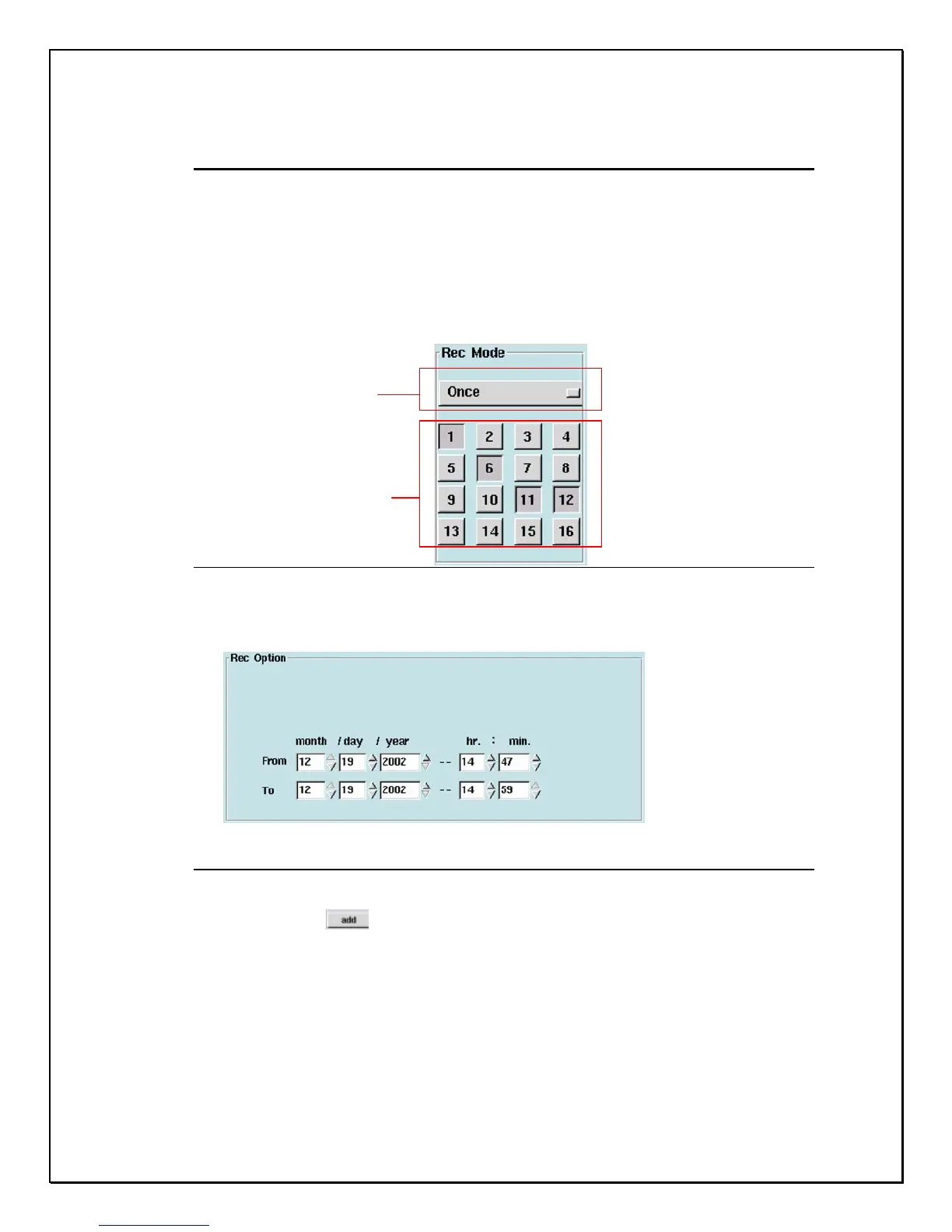
1. Select the “Once” option
Figure 5-6: Selecting Record Mode
2. Select the number of the camera you wish to configure.
3. Select the recording duration.
Figure 5-7: Duration Selection
4. Click “Add”
The “Once” option
Select cameras



 To Next Page