54
Modem Dialup
DVR users can choose modem dial-up for connecting to a telephone line.
Windows users can also dialup (using PPP) to DVR for remote monitoring.
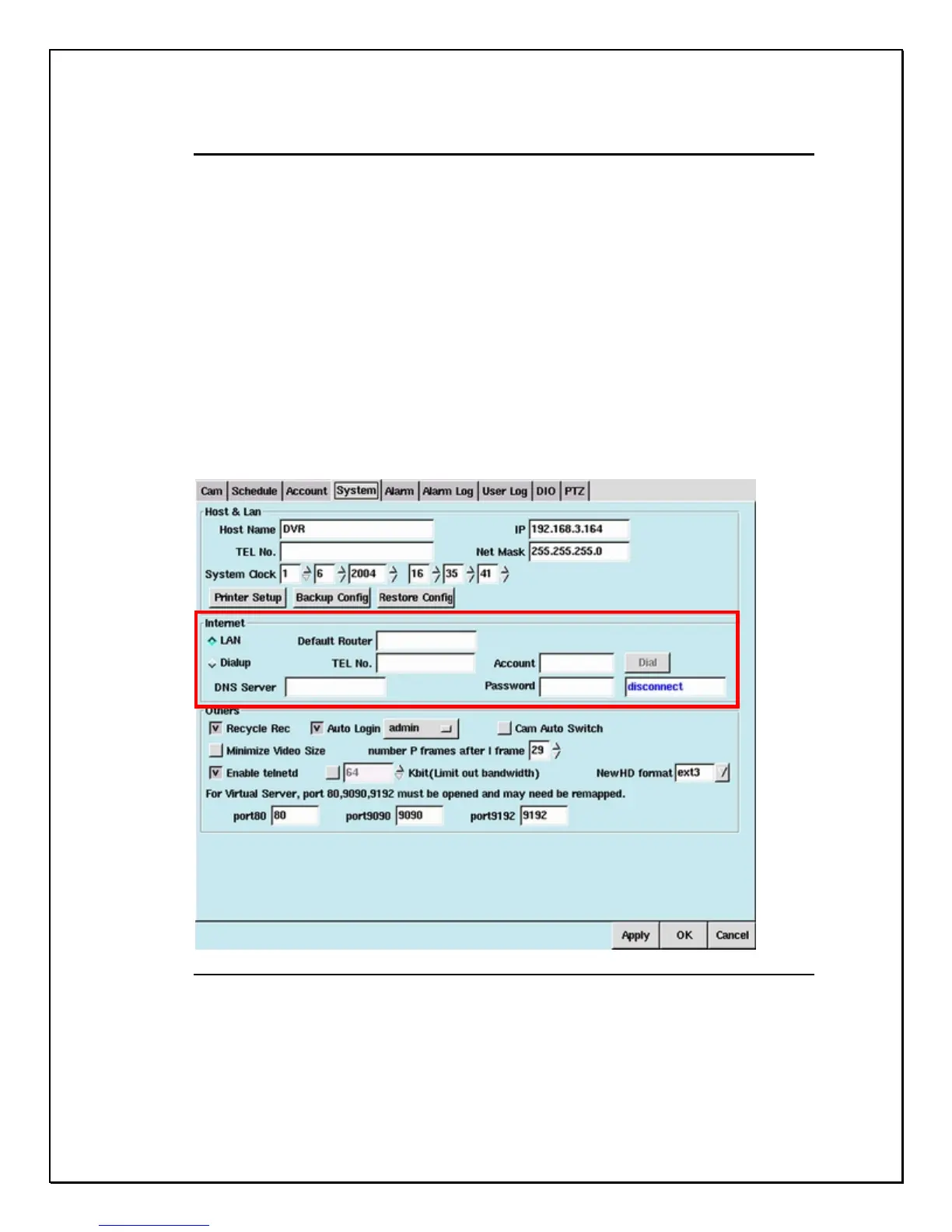
To set up modem dial-up:
1. Check the ”Dialup” in the Internet field and enter the ”TEL No.” (The
phone no. of ISP), “Account” and Password” (your account and password
from ISP).
2. Click the ”Dial” button to test the dial-up procedure. If it is successful,
the ”Disconnect” field will revert to the IP assigned by ISP. This will be
finished when the connection is idle for 30 seconds, the connection will
then be disconnected by the system automatically and the “IP” field will
revert to “Disconnect”.
3. If the DVR will use a dialup modem for e-mail delivery, the Network
connection would disconnected by the system automatically (idle for 30
seconds) when sending out the alert e-mail.
Figure 7-2: Modem Dial-up settings



 To Next Page