87
Viewing Playback by Camera
To view a recorded file from a particular camera follow the next few steps
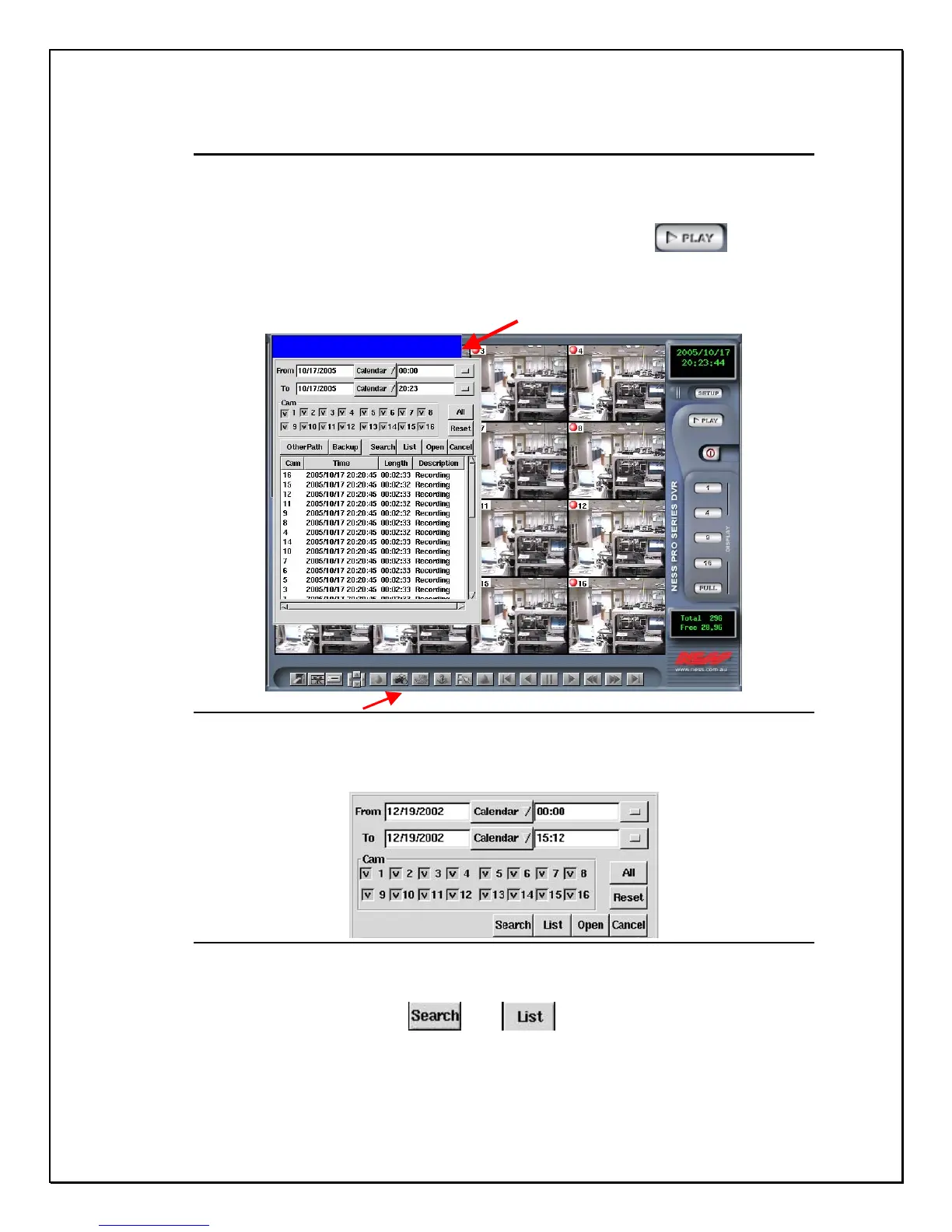
1. To view Playback click the “playback” icon…
Bottom Toolbar
Figure 13-4: Playback Screen
2. Select a date and time from the calendar
Figure 13-5: Calendar & Camera Selection
3. Select a camera
4. Click Search , List , to show all the clips.
5. Then the recorded database will be listed on the screen (if the
camera is defined with a name, the name will appear in the field of
“ Description”
Po
-u
Database



 To Next Page