Home
Ness
DVR
Pro series
Page 88
Ness Pro series - Page 88
142 pages
Manual
Save Page as PDF
To Next Page
To Next Page
To Previous Page
To Previous Page
Loading...
88
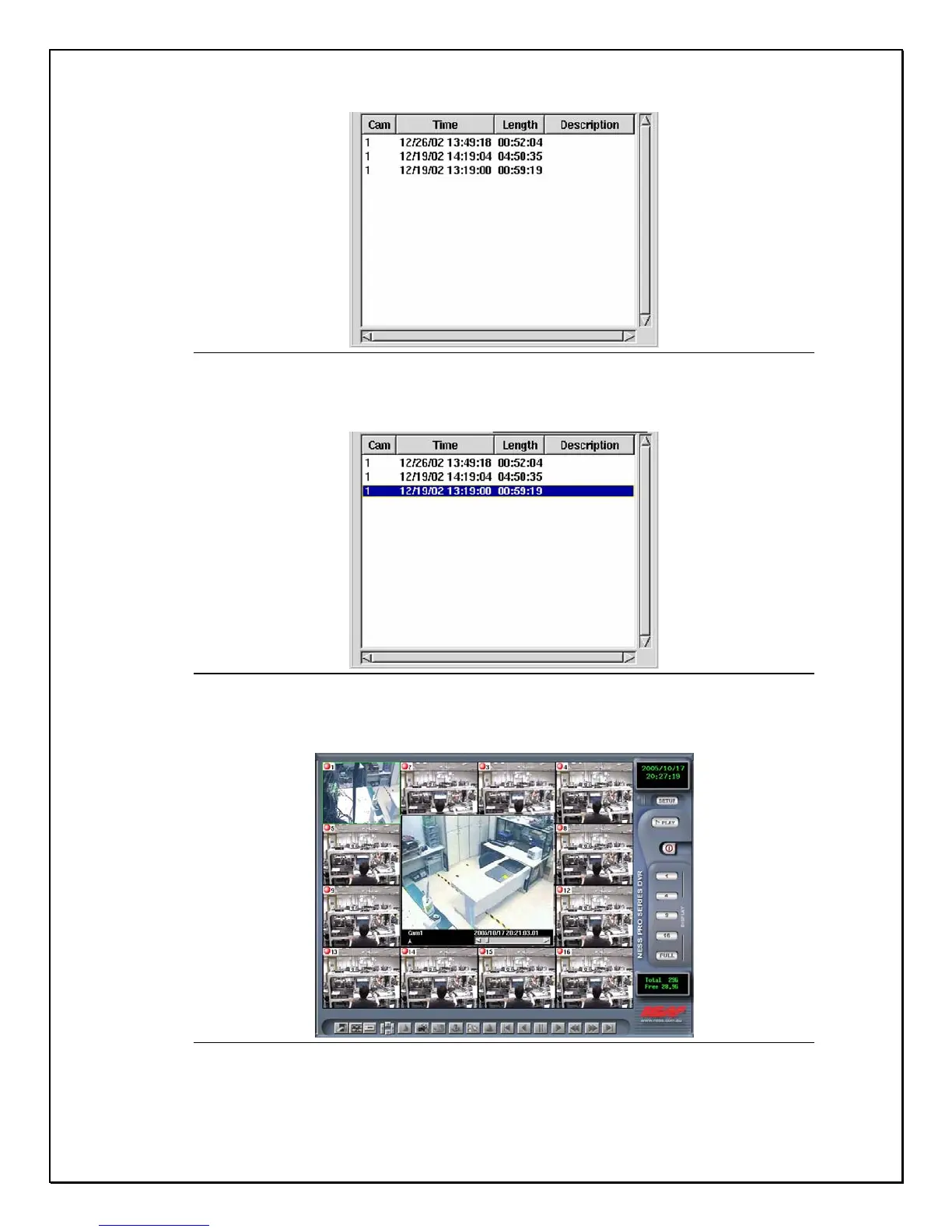
Figure 13-6: Camera Dat
abase
6.
Choose the recorded clip to play
Figure 13-7: Camera Selection
7.
Double-click the selection or click “
Open
”. The selected f
ile will
appear in front of the Main Screen
Figure 13-8 Record
ed playback data
87
89
Table of Contents
Main Page
Default Chapter
5
Table of Contents
5
Operation Flow
7
Install Hard Disk
7
Raid Configuration
9
Chapter 1
15
Digital Video Recorder Introduction
15
Optional Devices
16
Chapter 2
21
Getting Started
21
Bottom Toolbar
25
Chapter 3
28
Quick Guide to Icons on the Main Screen
28
Chapter 4
34
Configuring the Cameras
34
Setting Motion Detection
38
Chapter 5
39
Schedule Recording
39
Chapter 6
48
Account Settings
48
Chapter 7
52
System Settings
52
Chapter 8
62
Alarm Settings
62
Chapter 9
72
Alarm Log & Screen Notification
72
Chapter 10
74
User Log
74
Chapter 11
76
Configuring General Purpose Inputs - Outputs
76
Chapter 12
78
Pan Tilt Zoom
78
Chapter 13
84
Playback
84
Chapter 14
97
Printing
97
Chapter 15
102
Remote Surveillance
102
Pro 16/8 Raid Software Probe Function
127
Appendix A
127
Troubleshooting
134
Appendix B
134
Related product manuals
Ness Ultimate Series
48 pages
Ness IQ
61 pages



 To Next Page