Quick start
This chapter is intended to help users wanting to start quickly with basic usage of the cameras, without
studying the entire documentation. The information in this chapter duplicates information in the
following parts of the manual. Whenever in doubt, please refer to the corresponding chapters of the
manual, providing detailed description of given problems.
Prepare the camera
- Unpack the camera, connect all the necessary peripheral. If needed, check the interface
connectors description in S e c t i o n , “Connector and cable description” .
- P o w e r up the camera using proper 24V power supply.
- Assuming that the desired operating system is already pre-installed on the camera, no additional
steps are needed and the camera is rea d y f o r S y n V i e w installation and test. Otherwise, install th e
operating system, following instructions of the operating system supplier. Install the
necessarydevice drivers available from our download area
.
Testing the camera
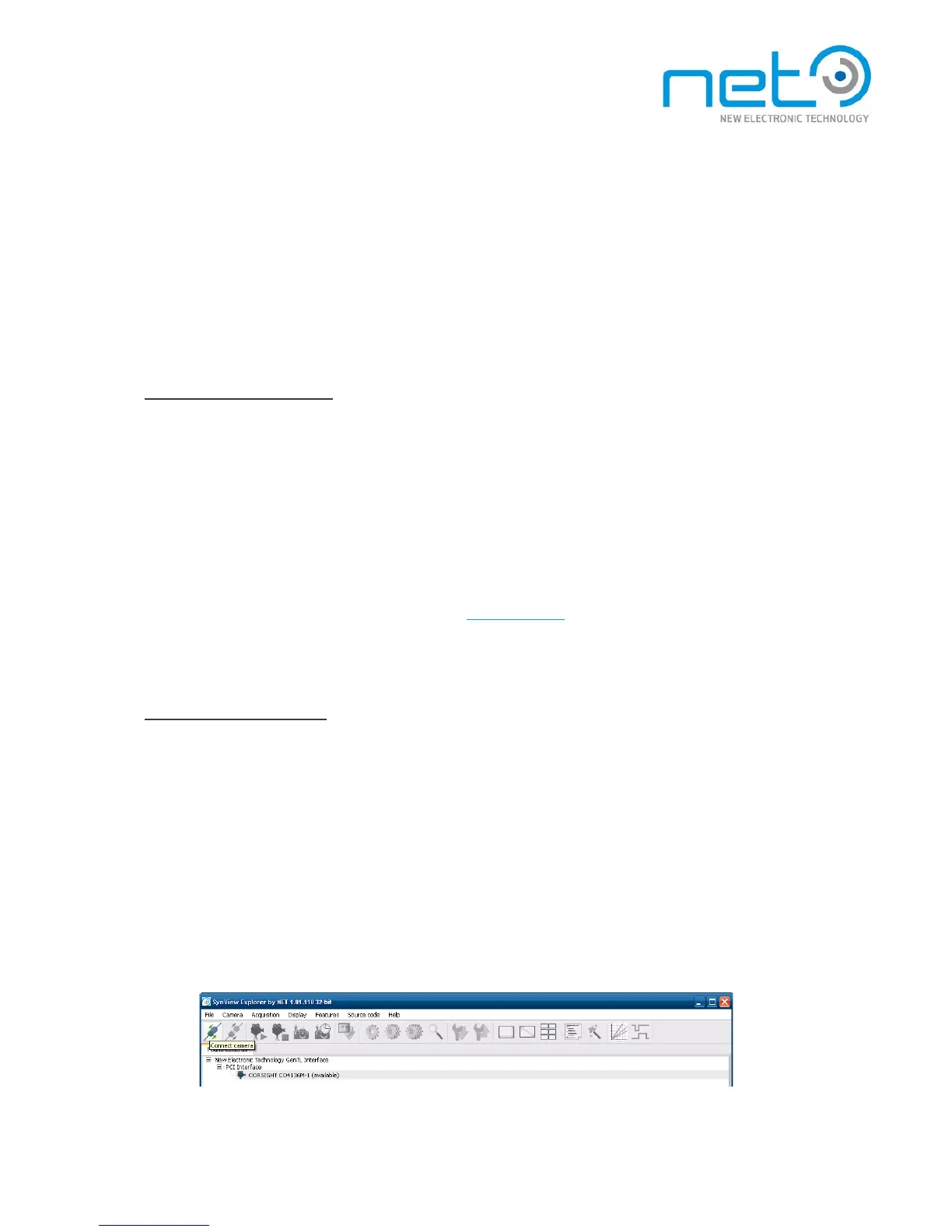
The S y n V i e w package contains the S y n V i e w Explorer tool, which allows to enumerate, connect and
conf ig ure came ra, acquire images or generate sample source code for S y n V i e w API. It is a useful tool for
testing both the S y n V i e w and camera functionality.
Start the tool from system menu: Start −> P r o g r a m s −> S y n V i e w -> S y n V i e w Explorer (under
Linux, run /opt/synview/bin/sv . e x p l o r e r ) .
Connect the camera to be tested — select it in the list of found cameras and press the Connect
c a m e r a button.



 To Next Page