UX2000 SBC XO SIP Trunk Lync Server 2010 Configuration Guide
11
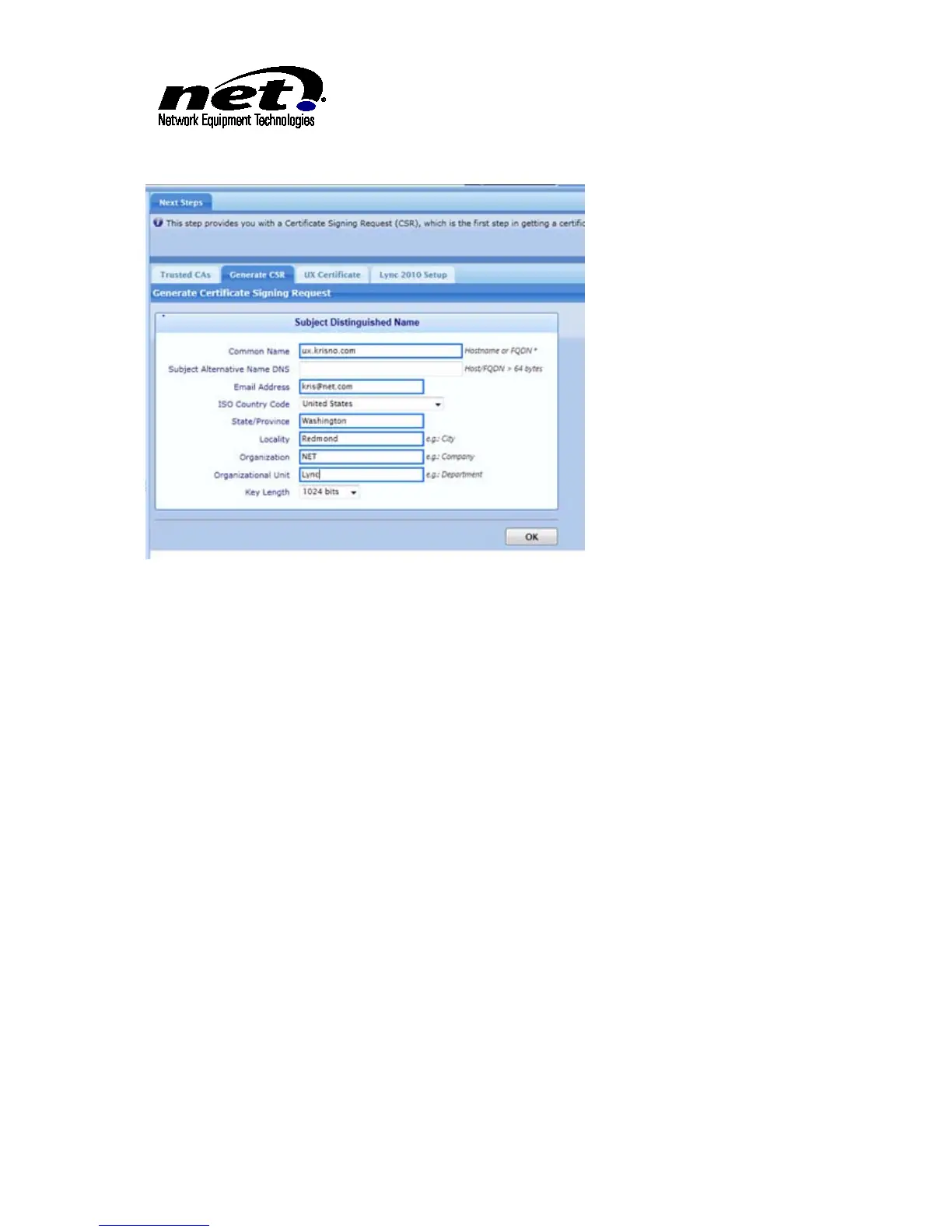
Figure 4 Generating UX Certificate Request
Once the certificate is signed from the Certificate Authority click on the ‘UX Certificate’ tab. Click on the
green ‘+’ sign. This will load a dialog similar to the Root Certificate import process. Select either the DER
or PEM format in the dropdown to match the file format of the UX Certificate to complete the process.
Shown below is the PEM format import process:



 To Next Page