UX2000 SBC XO SIP Trunk Lync Server 2010 Configuration Guide
41
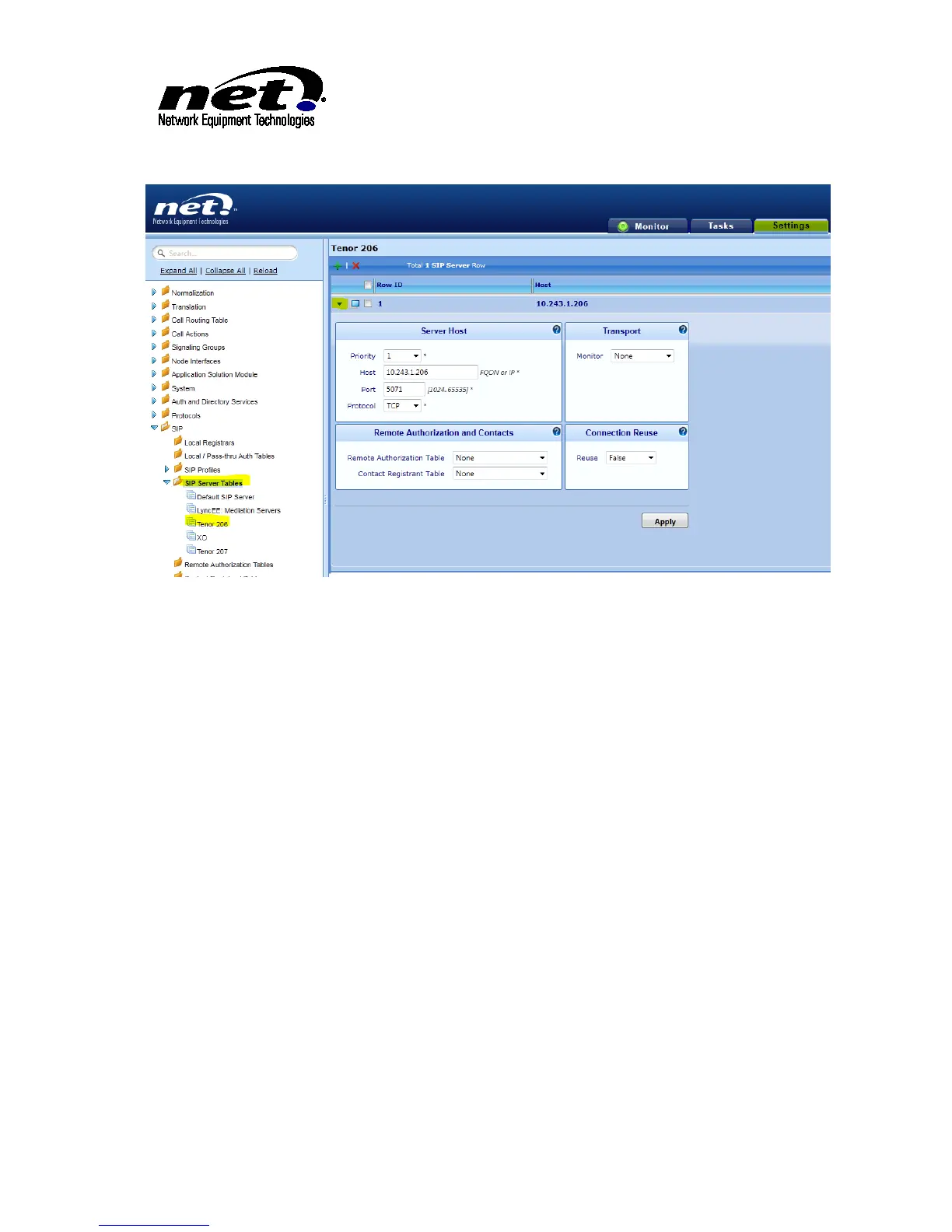
Figure 40 SIP Server Configuration Dialog
Provide the following information to complete the dialog:
Priority: Leave default
Host: FQDN or IP Address of ATA
Port: SIP Signaling Listen Port of the ATA
Protocol: IP Protocol that will be used to reach the ATA
The rest of the settings can stay default for a basic install.
9.2.2 Analog Translation Table
Add a Translation table that will be used to route to an ATA with Settings/Translation Table. The example
below is adding a Translation table entry for a DID number assigned to the Tenor 206 ATA:



 To Next Page