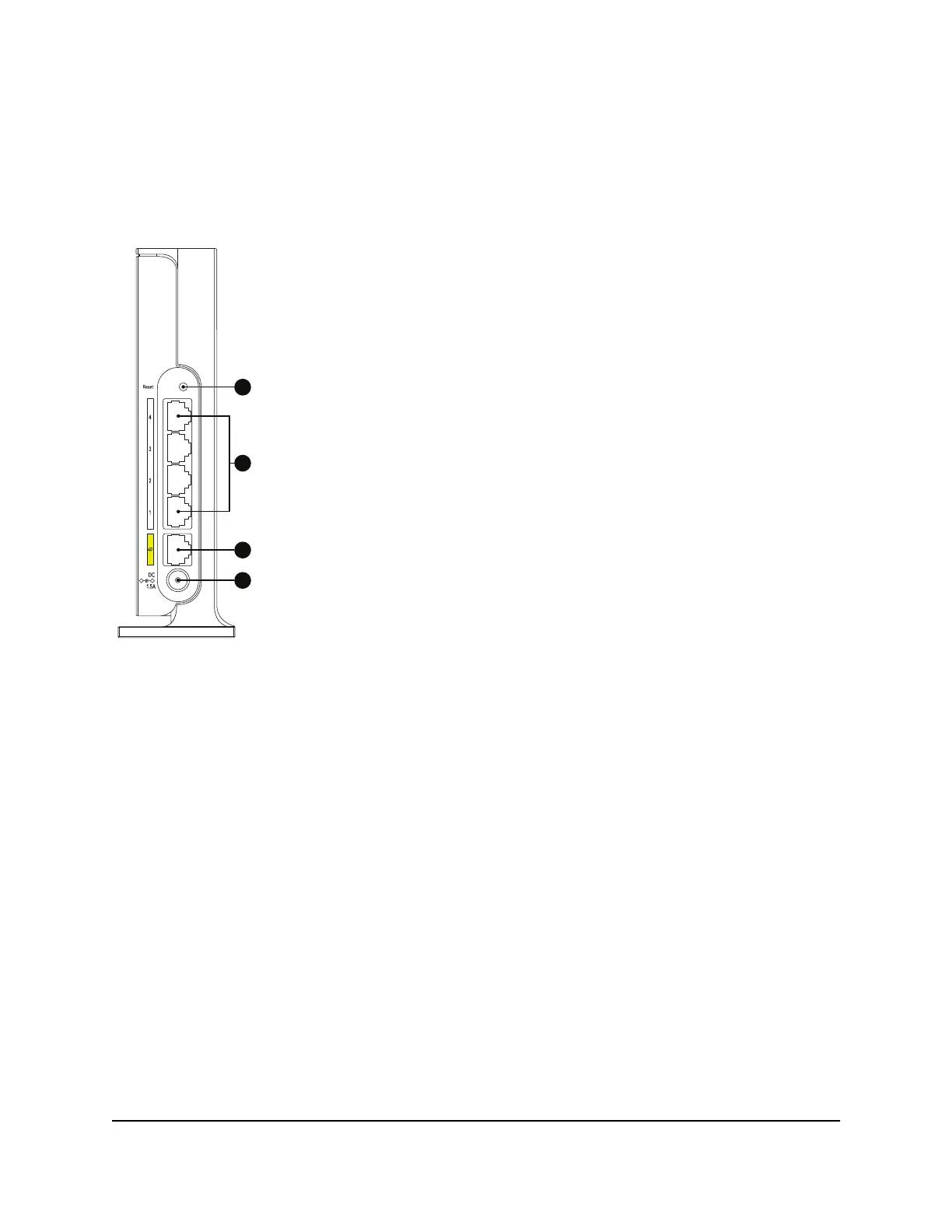
Back panel
The following figure shows the connectors on the back of the router.
Figure 3. Back panel
The back panel contains the following components:
•
A: Reset button: Pressing the Reset button resets the router. If the Reset button is
pressed for at least 10 seconds and then released, the router returns to its factory
settings.
•
B: Ethernet ports: Four Gigabit Ethernet RJ-45 LAN ports. Use these ports to connect
the router to devices that have an Ethernet LAN port.
•
C: Internet port: One Gigabit Ethernet RJ-45 WAN port to connect the router to an
Internet modem such as a cable modem or DSL modem.
•
D: DC power connector: Connect the power adapter that came in the product
package to the DC power connector.
User Manual12Hardware Setup
4-Stream AX1800 WiFi 6 Router Model RAX9 and Model R6600AX







 To Next Page