150Mbps Wireless-N Outdoor AP User Manual
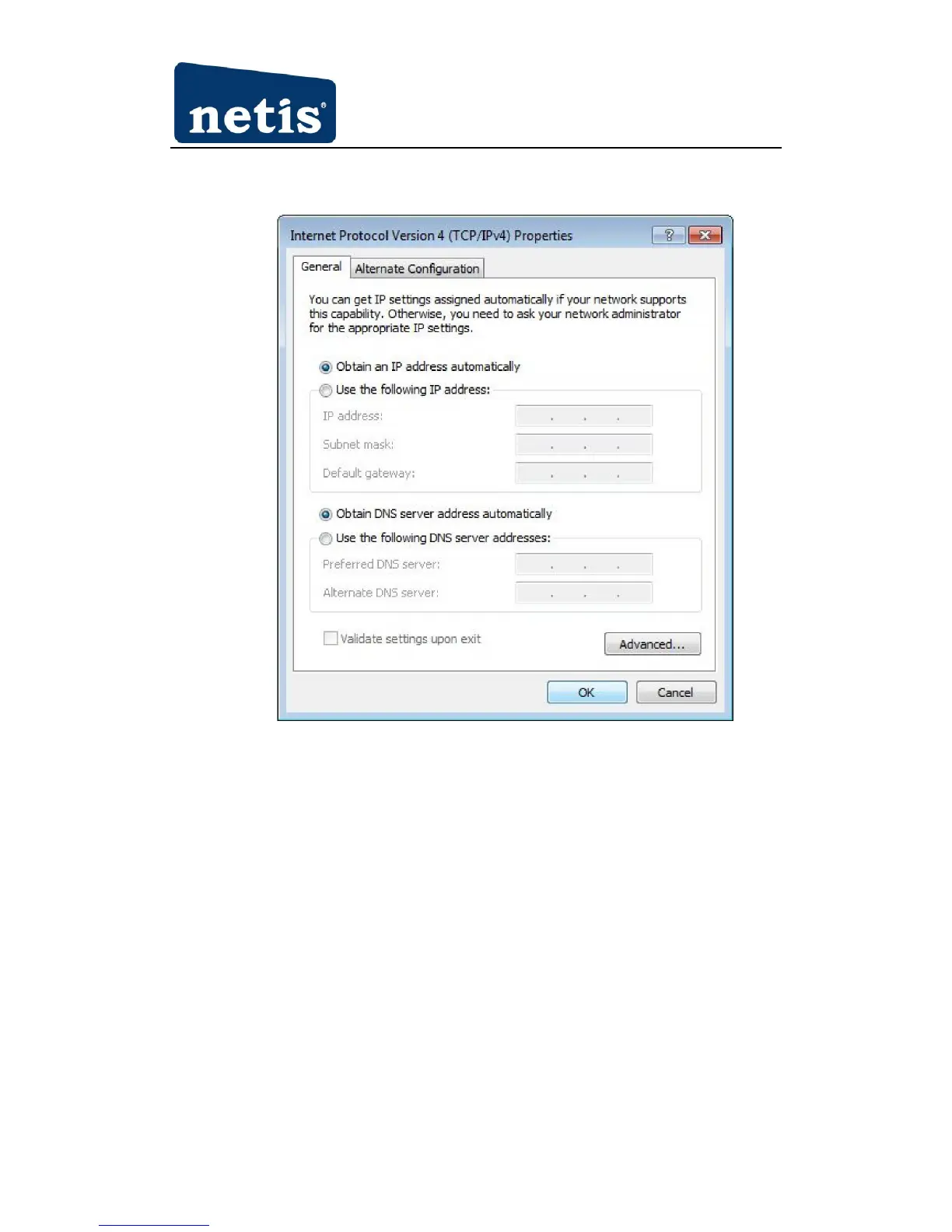
4. Choose Obtain an IP address automatically and Obtain DNS server address automatically,
and then press the OK to close the window.
Figure 3-20
5. Press OK to close the Local Area Connection Properties window.
3.1.6 MAC OS
Please follow the steps blow to setup your computer:
1. Go to Start→ System preference Settings→ Network.



 To Next Page