EasyManua.ls Logo

Neural DSP Nano Cortex - Page 61

Default Icon
105 pages
Print Icon
To Next Page IconTo Next Page
To Previous Page IconTo Previous Page
Loading...
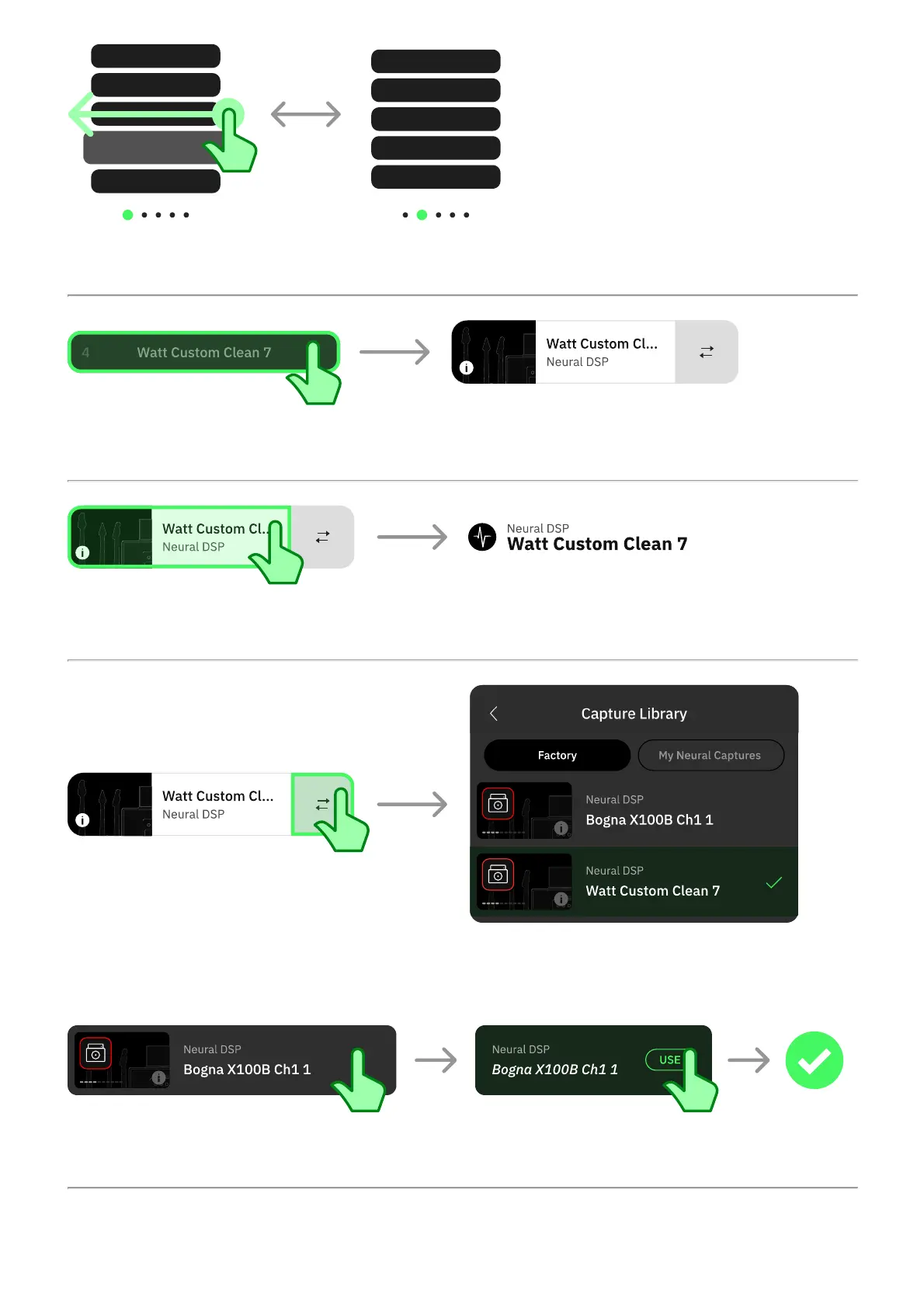
Swipe horizontally to navigate Capture banks.
Tap an inactive Capture slot to activate it.
Tap an active Capture slot to access its details screen.
Tap the swap button to the right of an active Capture slot to access the Capture Library and
replace the currently loaded Neural Capture.
Tap a Neural Capture to audition it. Tap USE to load it in the current slot.

09.10.2024, 12:56
Nano Cortex® User Manual 1.1.0 - Neural DSP
https://neuraldsp.com/manual/nano-cortex?srsltid=AfmBOops0eFs2xr0dG55hFwinvMw8i88HM5lKcahmGHGNS8iiX-En5BK

Related product manuals