Tap the Bypass button to bypass the Neural Capture module.
• • •
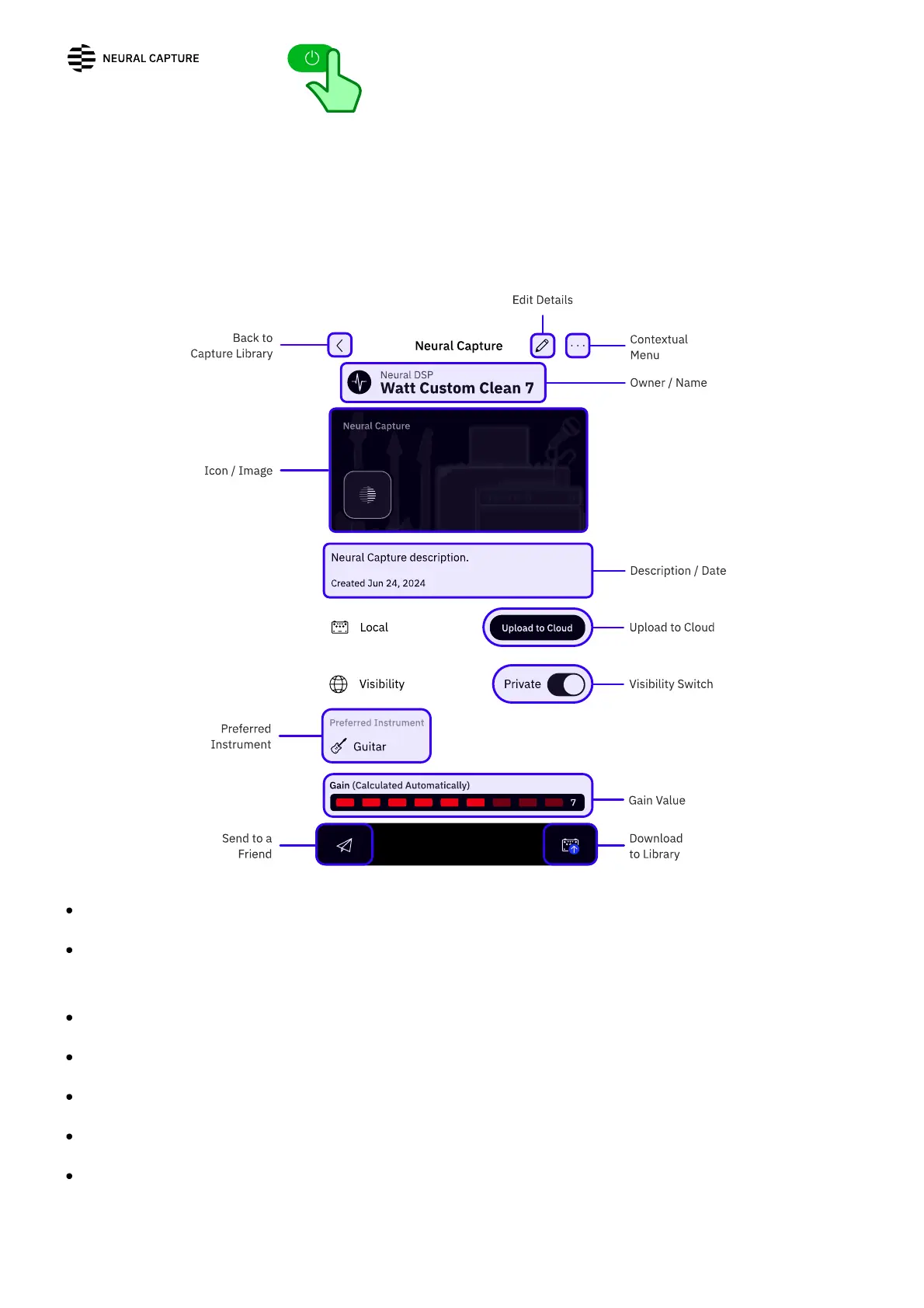
NEURAL CAPTURE DETAILS SCREEN
EXIT: Tap to return to the Capture Library.
EDIT: Tap to edit the details of the current Neural Capture. Not available when checking
Neural Captures from other users.
CONTEXTUAL MENU: Tap to DELETE or SHARE the current Neural Capture.
OWNER/NAME: Tap to access the Neural Capture owner's prole.
ICON/COVER: Neural Capture's icon and custom cover photo are shown here.
DESCRIPTION FIELD: Neural Capture description and creation date.
UPLOAD TO CLOUD: Tap to upload the current Neural Capture to the Cloud. Not available
when checking Neural Captures from other users.



 To Next Page