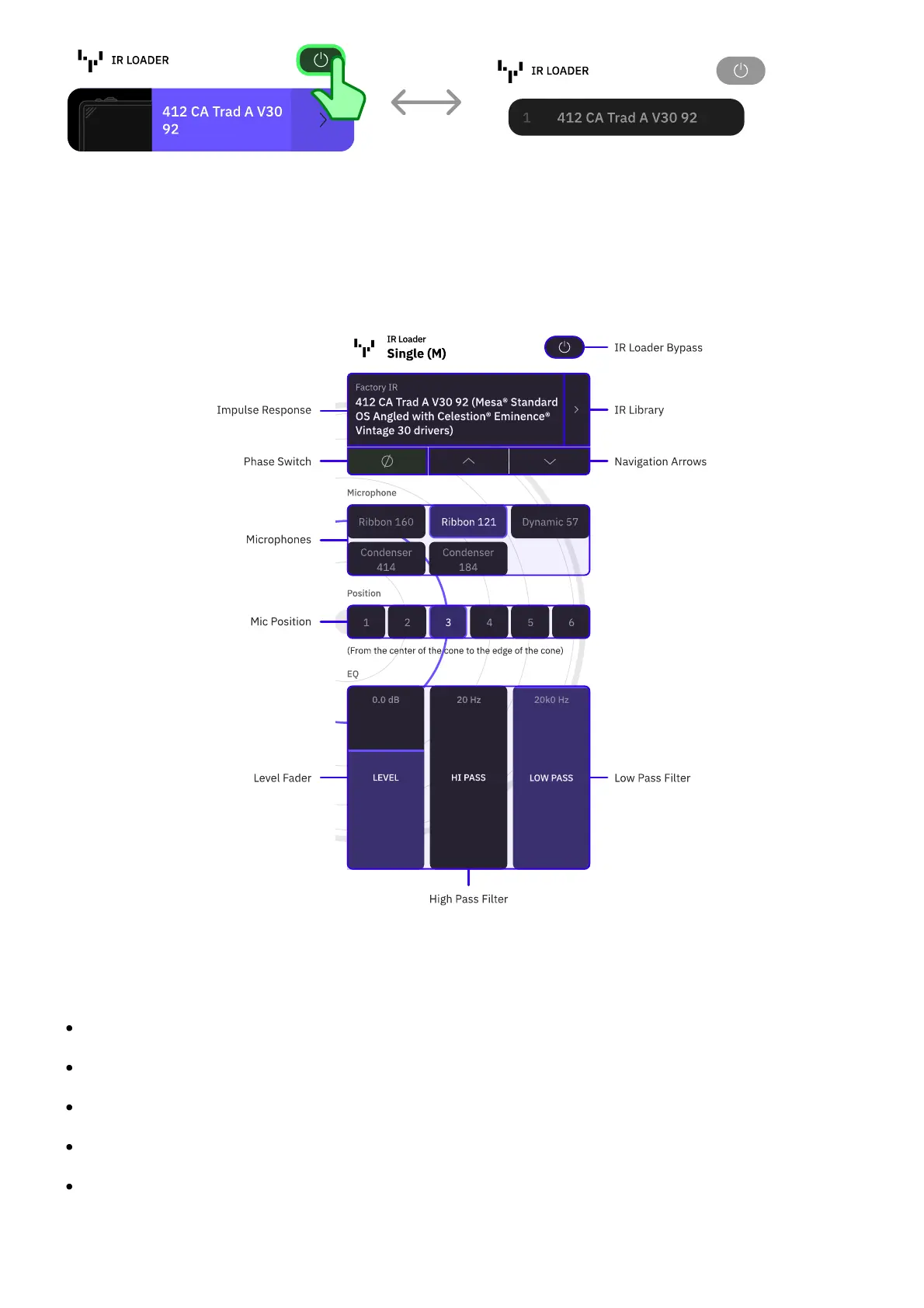
Tap the Bypass button to bypass the IR Loader.
• • •
IR LOADER PARAMETER SCREEN
Microphones and Mic Position modules will not be available in the IR Loader parameter
screen layout when using User Impulse Responses.
BYPASS: Tap to bypass/enable the IR Loader.
IMPULSE RESPONSE: Displays the currently loaded Impulse Response.
IR LIBRARY: Tap to access Factory and User Impulse Responses.
PHASE: Tap to invert the phase of the current IR.
UP/DOWN: Tap to navigate Impulse Responses.



 To Next Page