The Nano Cortex will measure the latency of the target device and deliver recorded signals that
will be used for modeling.
While the Capture is in progress, you can add metadata to your Neural Capture such as Name,
Type, Description, and Preferred Instrument.
Tap NEXT to access the 'Testing' screen.
• • •
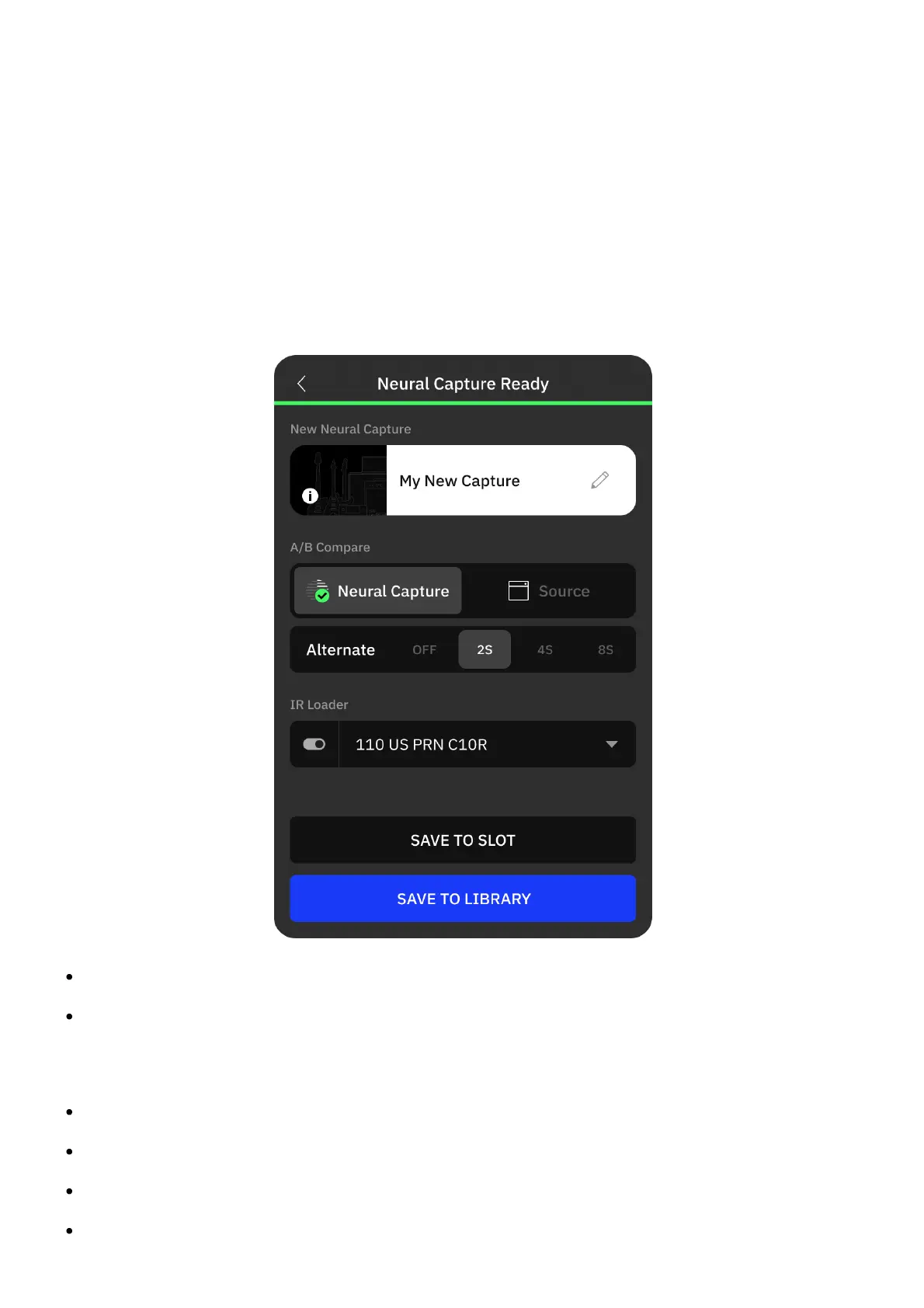
TESTING SCREEN
NEW NEURAL CAPTURE: Tap to edit the Neural Capture metadata.
A/B COMPARE: Monitoring switch. Tap to toggle between the target device signal and the
recently created Neural Capture. Additionally, you can set it to switch automatically every 2,
4, or 6 seconds.
IR LOADER: Tap to toggle the IR Loader bypass state.
IR SLOT: Tap to select the IR slot.
SAVE TO SLOT: Tap to save the recently created Neural Capture to a Capture slot.
SAVE TO LIBRARY: Tap to save the recently created Neural Capture in your Library.



 To Next Page