Incoming MIDI Support
Nano Cortex can receive MIDI messages from external devices via USB-C and TRS MIDI Type-
A.
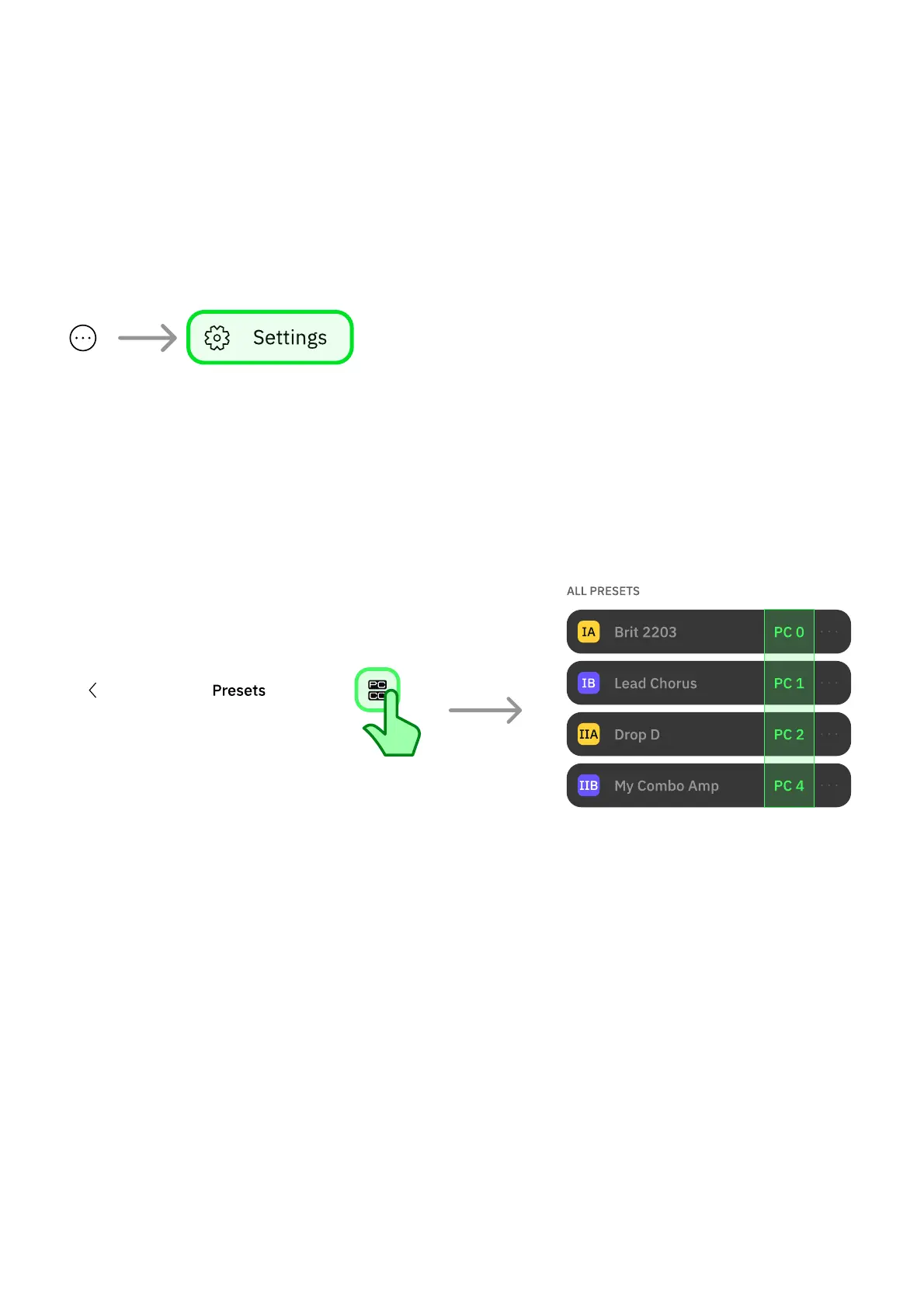
To enable incoming MIDI over TRS, tap the contextual menu button at the app's upper-right
corner, go to 'Settings', and ensure the EXP/MIDI operation mode is set to MIDI.
• • •
PROGRAM CHANGE PRESET RECALL
The Preset slots organized below 'ALL PRESETS' are automatically assigned to PC messages
from Program 0 to 63. Tap the PC/CC button at the top-right corner to toggle the PC messages
view.
• • •
USB MIDI ROUTING



 To Next Page