20
Manual IP address setup - Windows PC 1
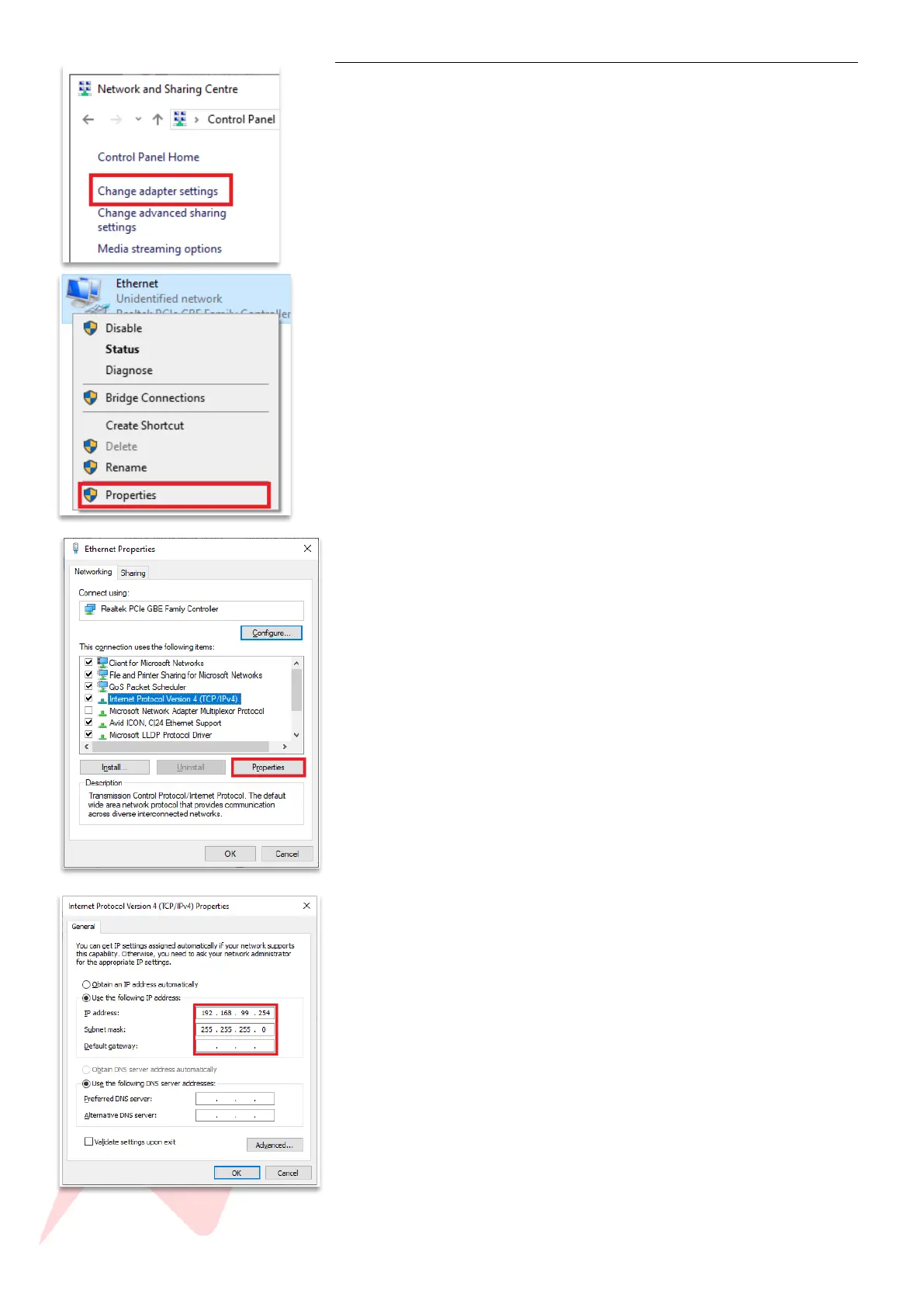
Open control panel>Network&Internet>Network and Sharing Centre
Click Change Adapter Settings
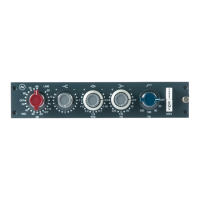
Highlight the Ethernet connection and click Properties
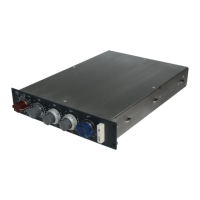
Click Internet Protocol version 4 (TCP/IPv4)
Click Properties
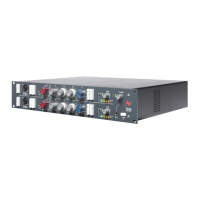
Click use the following IP address
Enter a manual IP address - 10.10.251.254
Enter Subnet Mask 255.0.0.0
Alternative address - 192.168.99.254
Alternative Subnet Mask 255.255.255.0


 To Next Page