SHAPING THE FUTURE SATELLITE OF COMMUNICATIONS
6.4.6 Access Rights of GUI Users
6.4.6.1 Introduction
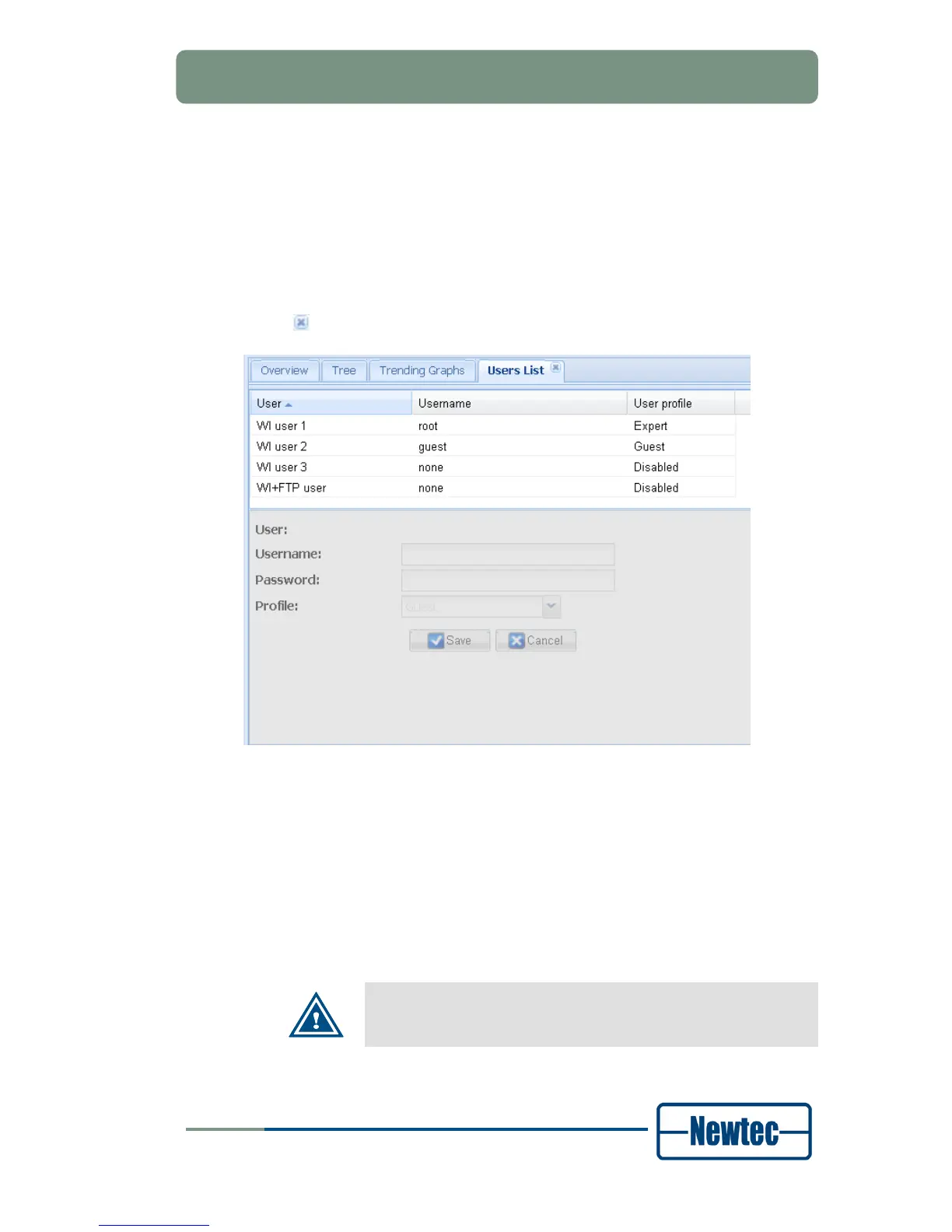
Click the Users List button on the Miscellaneous tab, the Users List tab opens in
the central stage window. To remove the tab from the central stage window, press
the
-icon in the right upper corner of the tab.
Figure 31 – Users List Tab
Four GUI user accounts with different access rights can be created. At least one
user account with expert user profile must be defined. By default WI user 1 has
username root and expert user profile.
Users with the user profile expert can:
• Change account passwords;
• Change the user profile for a user account (resulting in a change of the user’s
permissions).
When the WI+FTP user is not defined or disabled, no password is
required to connect to the ftp-server on the device.



 To Next Page