SHAPING THE FUTURE SATELLITE OF COMMUNICATIONS
5.2 Front Panel Handling
5.2.1 Display
The first line of the display contains your current location in the menu tree of the
modulator. The second line contains the parameter name and its value.
AZ110/unit/Setup
Device mode: Normal
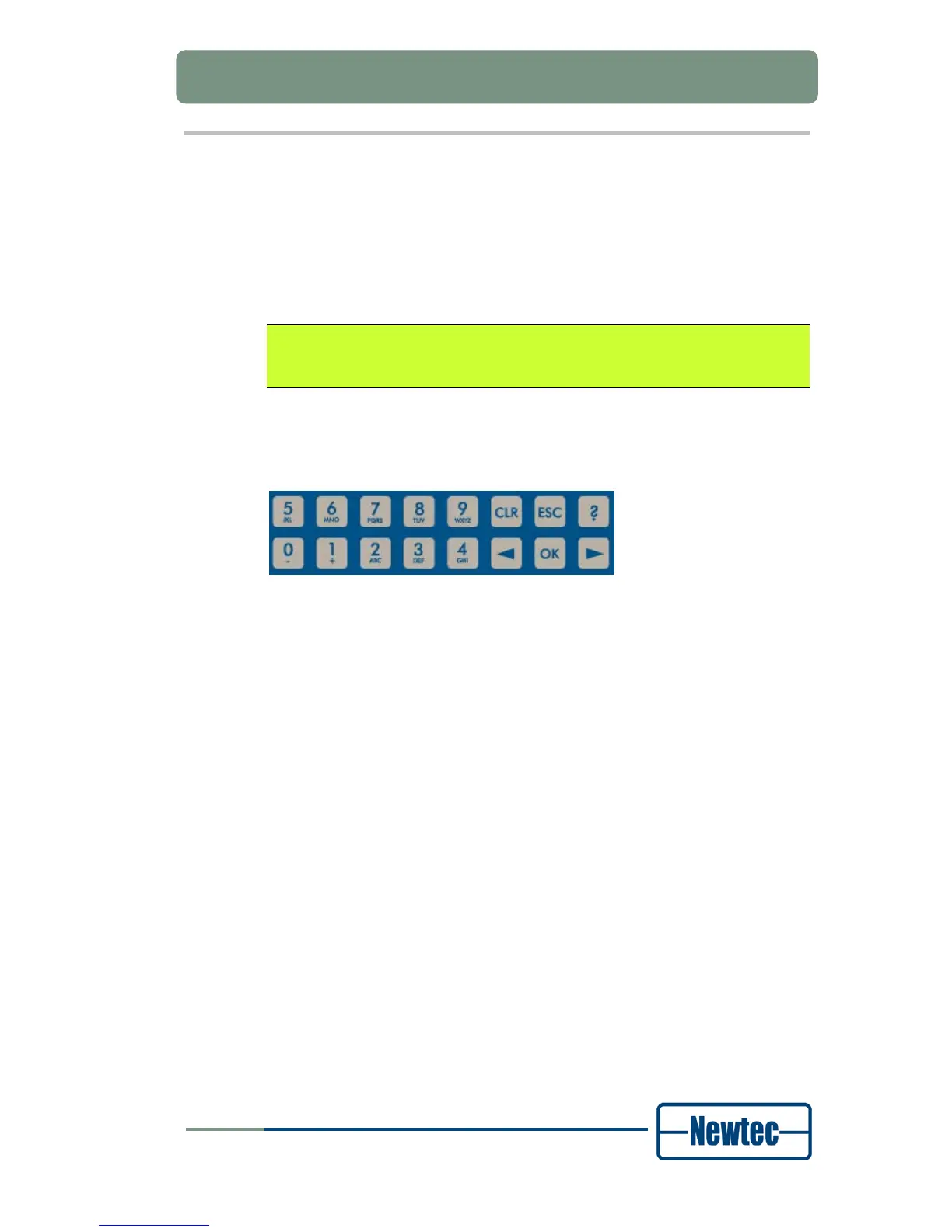
5.2.2 Keypad
Figure 13 - Keypad Panel
With the 16 front panel keys you can navigate in the menus and change
parameters.
Press “?” to open a pop-up help screen with more information on the selected
item. Press ESC to exit this help screen.
Press “←” and “→” to highlight a menu item. Press OK to go one level deeper in
the menu tree. When you arrive at the desired level, press OK again to select the
desired item. Press ESC to move back up in the menu tree.
Press CLR to clear the numerical input fields.
Press the digit keys 0 up to 9 to enter numerical values. When you need to enter
hexadecimal characters, press the A - F keys multiple times to bring up the desired
hexadecimal character.



 To Next Page