SHAPING THE FUTURE SATELLITE OF COMMUNICATIONS
6.4.6.3 Disabling a User Account
Only users with the expert user profile can delete user accounts. If you delete a
user account which is logged in from another session, its session is not cancelled
but the user won't be able to log in again. A user cannot delete his own user
account.
Proceed as follows to disable a user account:
1. Click the Users List button on the Miscellaneous tab;
2. Select the user account you want to remove from the list;
3. Type in the Password field the password for the user account;
4. Click the Delete button (
).
6.4.6.4 Change a User Account Password
A user can change the password of his own user account. Users with the expert
profile can change the password of every user account provided. They know the
current password of that user account.
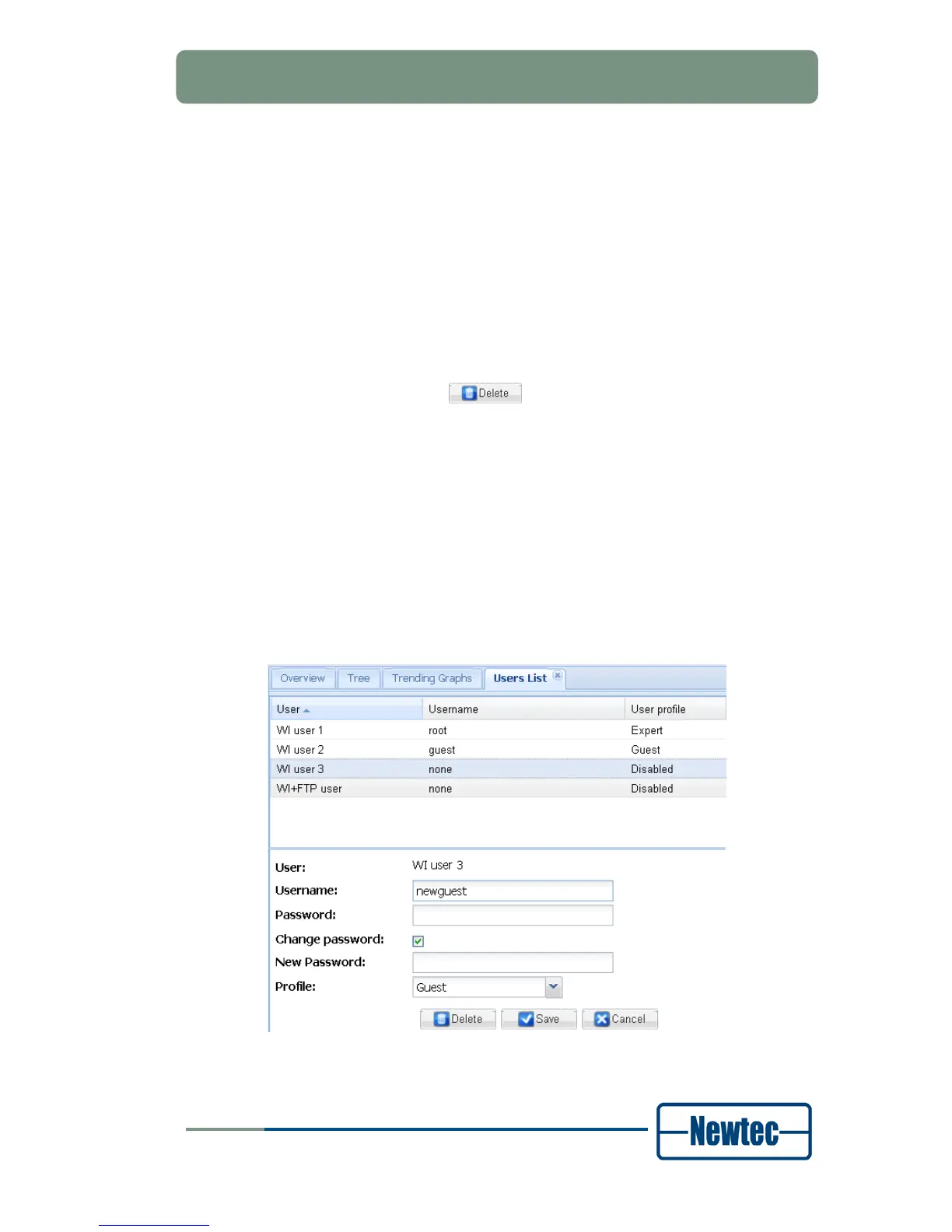
Proceed as follows to change a user account password:
1. Click the Users List button on the Miscellaneous tab;
2. Select the user account for which to change the password;
3. Select the Change password checkbox.
Figure 33 – New Password Field



 To Next Page