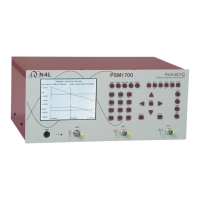
PSM1700 PsimetriQ user manual
v
CONTENTS
1 Introduction – general principles of operation ........ 1-1
1.1 Generator output .................................................... 1-3
1.2 Voltage inputs ........................................................ 1-4
2 Getting started .................................................. 2-1
2.1 Unpacking .............................................................. 2-1
2.2 Keyboard and controls ............................................. 2-3
2.3 Basic operation ....................................................... 2-4
2.4 Measurement Selectivity .......................................... 2-5
3 Using the menus ................................................ 3-1
3.1 Selection from a list ................................................ 3-3
3.2 Numeric data entry ................................................. 3-4
3.3 Text entry .............................................................. 3-5
4 Special functions ................................................ 4-1
4.1 Display zoom .......................................................... 4-1
4.2 Program store and recall .......................................... 4-2
4.3 Zero compensation .................................................. 4-3
4.4 Alarm function ........................................................ 4-4
4.5 Analogue output ..................................................... 4-6
4.6 Data hold ............................................................... 4-7
4.7 Parallel port............................................................ 4-8
4.8 Sweep results store and recall .................................. 4-9
5 Using remote control .......................................... 5-1
5.1 Standard event status register .................................. 5-3
5.2 Serial Poll status byte .............................................. 5-4
5.3 RS232 connections .................................................. 5-5
5.4 Data streaming ....................................................... 5-6
6 System options .................................................. 6-1
6.1 User data ............................................................... 6-3
7 Measurement options ......................................... 7-1
7.1 ACQU - Acquisition options ....................................... 7-1
7.2 Datalog .................................................................. 7-4
7.3 SWEEP - Frequency sweep options ............................ 7-6
7.4 TRIM - Trim function ............................................... 7-8


 To Next Page