EN 33
The first time you connect to the Internet, a prompt will
appear asking whether you want to update the system. You
can either choose yes or no. If you choose yes, the system will
begin the update process. If you choose no, the prompt will
disappear. You can go into system settings at any time to
check the system version and update.
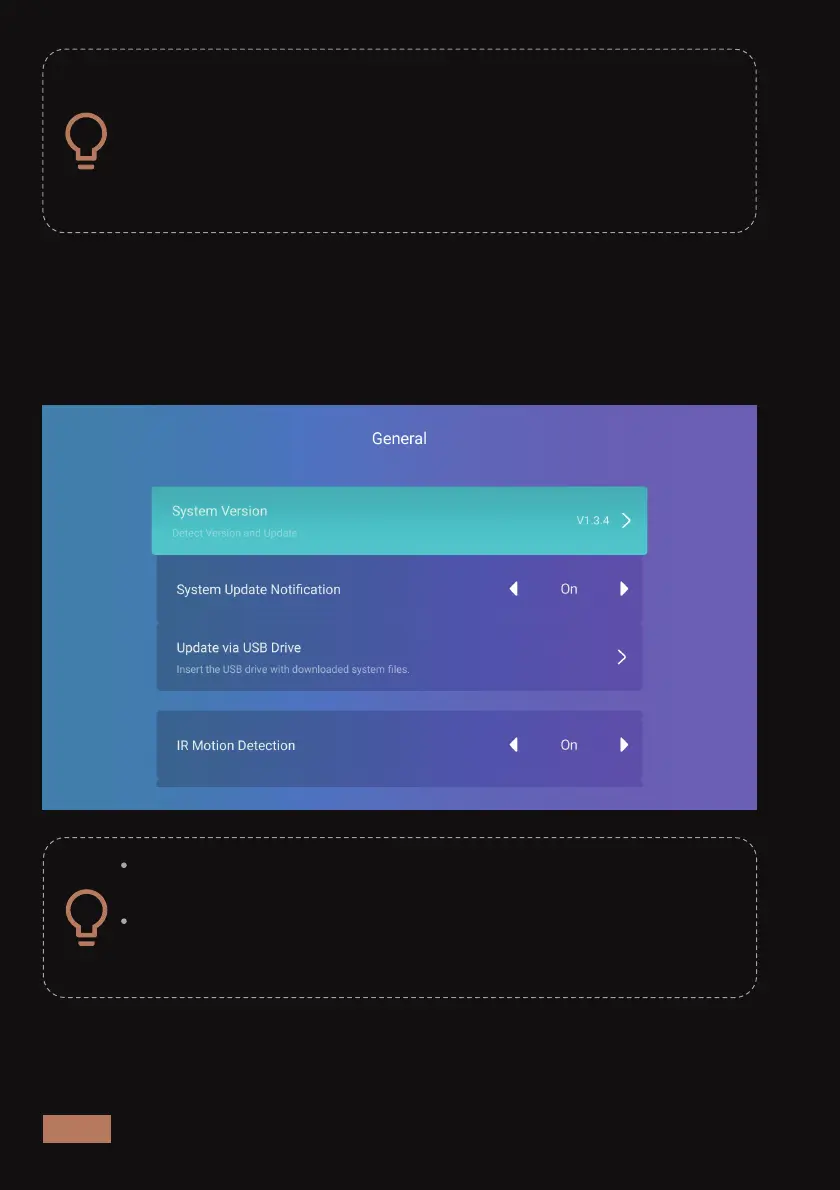
Update by USB Drive -
Insert a USB drive that has the appropriate system update files into the
projector, select Update by USB Drive in the menu shown below, then
follow the system prompts to update the projector’s system firmware.
Please insert the USB drive before selecting Update by USB
Drive in the menu.
Please copy all system update files directly onto the root
directory of the USB drive. Do not place it in a subfolder on
the USB drive or it will not be able to find the files.



 To Next Page