EN 42
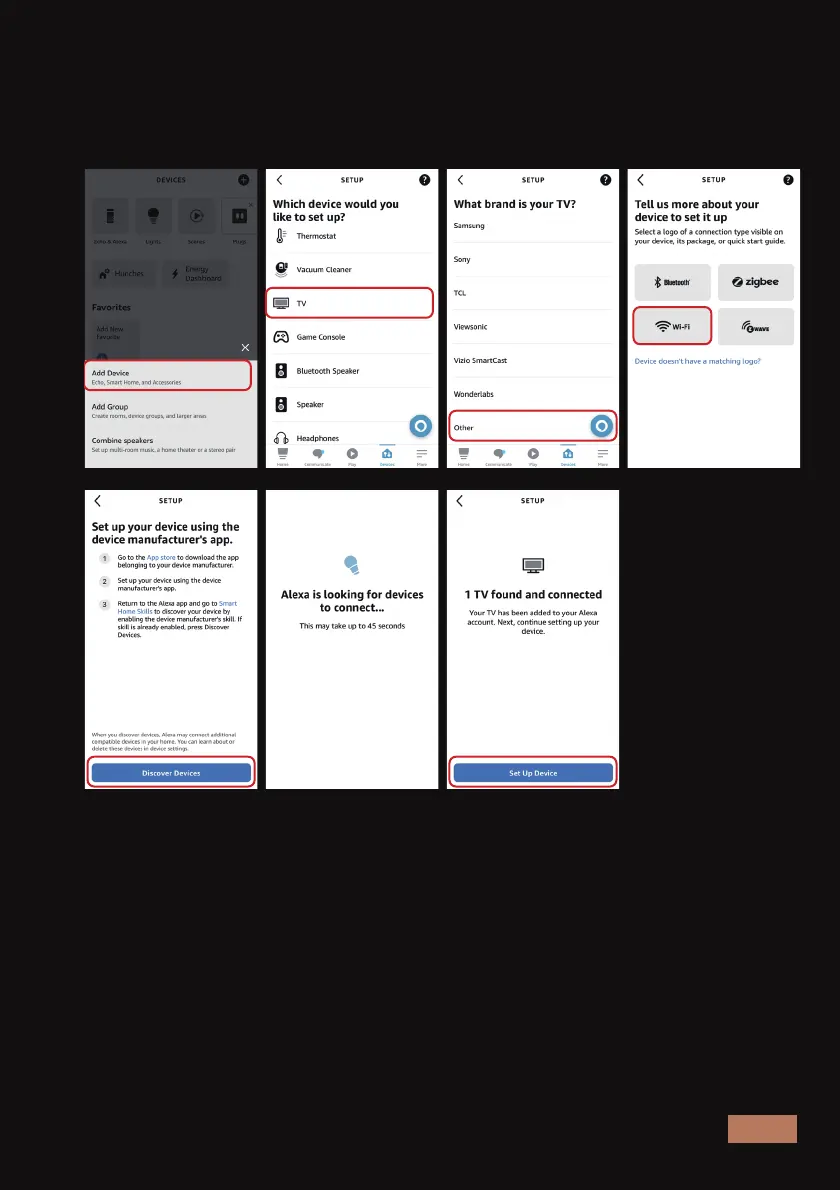
On your phone or tablet, open the Alexa app and navigate to Devices. If
the Aurora Pro is not already present on your devices list, proceed to
Add Device > TV > Other > Wi-Fi. Then select Discover Devices > Set Up
Device.
Now that your projector is linked to your Amazon account, return to the
Alexa app on your phone and enable Whale Video to control the Aurora
Pro in the settings. To do this, navigate to More > Skills & Games > Your
Skills and select Whale Video from the list. Then tap Settings > Manage
In TV & Video and choose Aurora Pro from the list of devices.
Step 4: Enable Whale Video to act as a remote control for your Aurora
Pro.



 To Next Page