EN 43
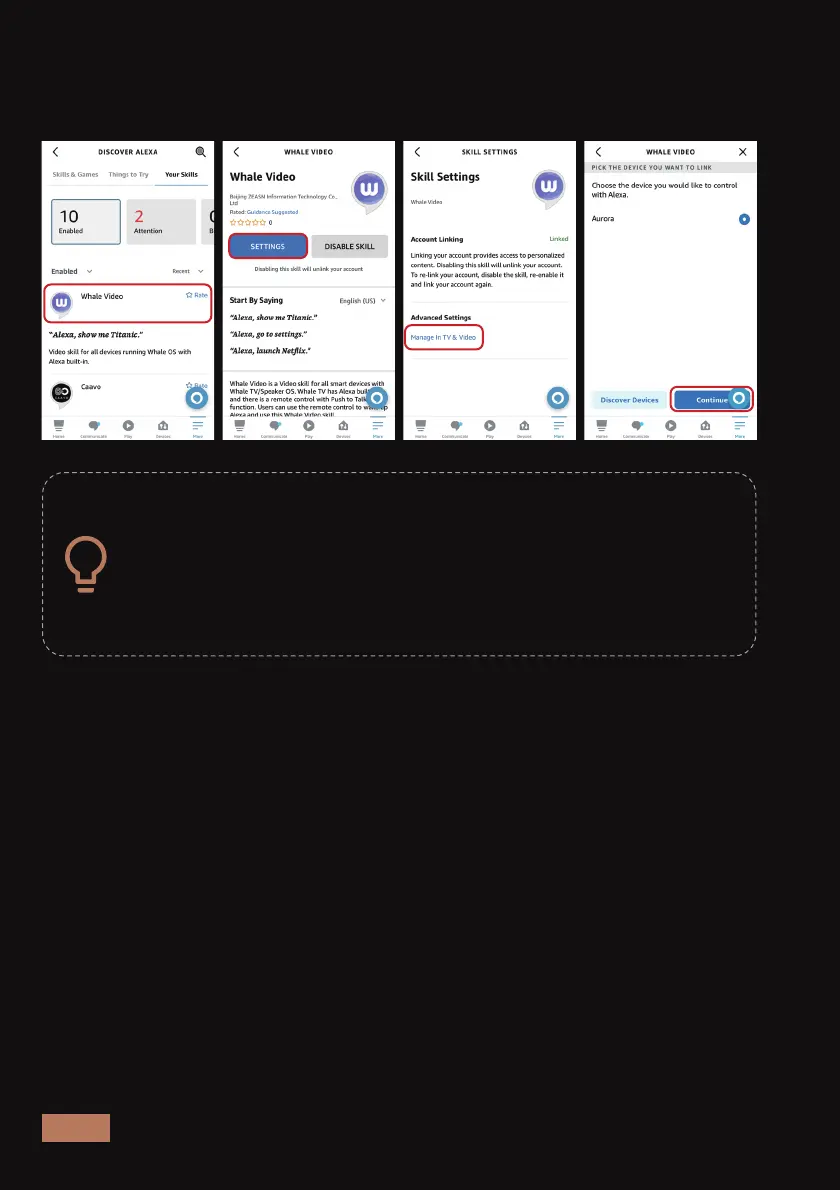
Step 5: Using Alexa
You can now control your projector with Alexa. For example, you can say:
"Alexa, go to settings on Aurora Pro".
The additional voice commands for Alexa are shown below.
The setup for Alexa voice control may be slightly different
depending on your device. If these steps do not line up with
your interface and you’re still having trouble connecting to
the projector, please contact NexiGo customer service at
cs@nexigo.com for assistance.
Select the Alexa device that you want to use to control the Aurora Pro,
then choose Link Devices. Your Alexa voice control setup should now be
complete.



 To Next Page