53
v.12/2020
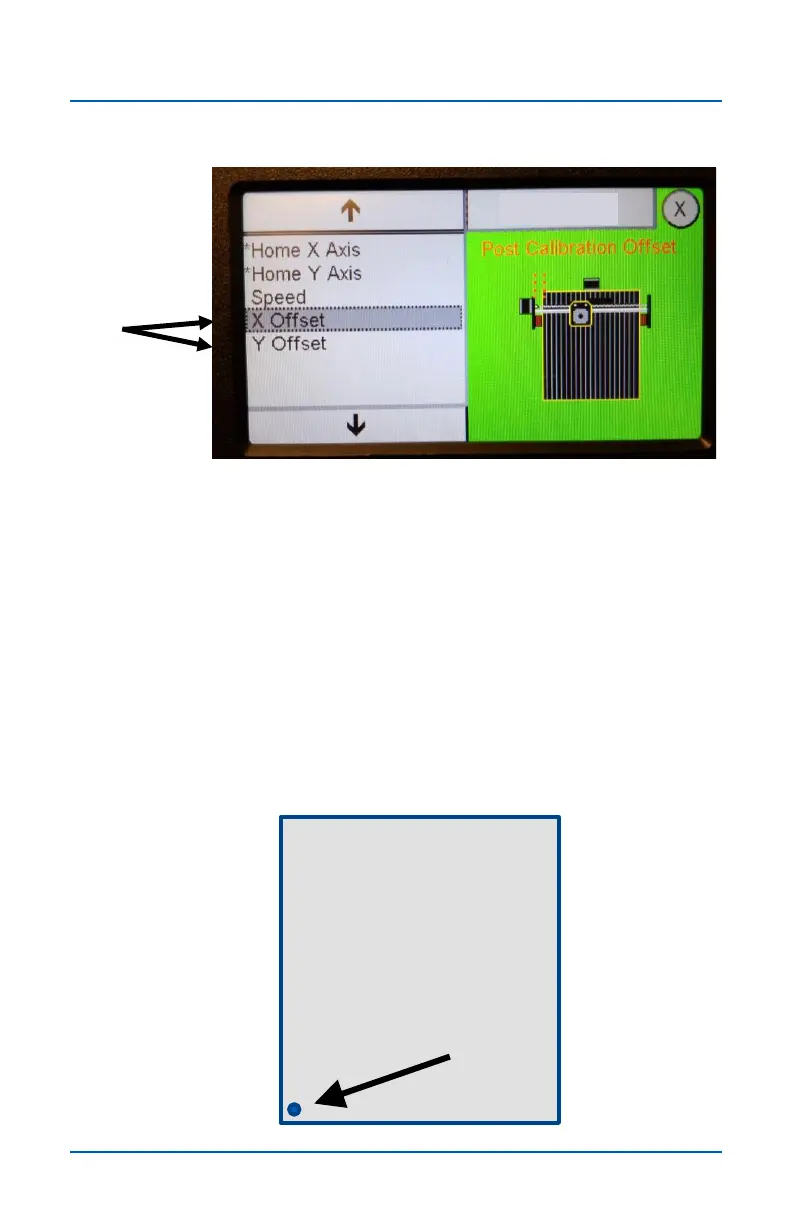
The X offset and Y offset options allow you to set the X-Y zero
location a precise distance from the machine's Home position.
This new location can be referred to as project zero because it
matches the XY datum location in your VCarve Job Setup.
NOTE: The Offset number must be a negative number.
After setting the Offset amount run the Home X Y Axis
routines. When the homing routines finish running, the X-Y axis
will be positioned at the Machine Home location (see below)
but the X and Y position fields on the main screen will reflect
the negative offset amount (see next page).
-12.000
X -12 , Y -12
Home X & Y Axes (cont.)
XY Offset option


 To Next Page