3 NVR Menu
3.1 Right click mouse
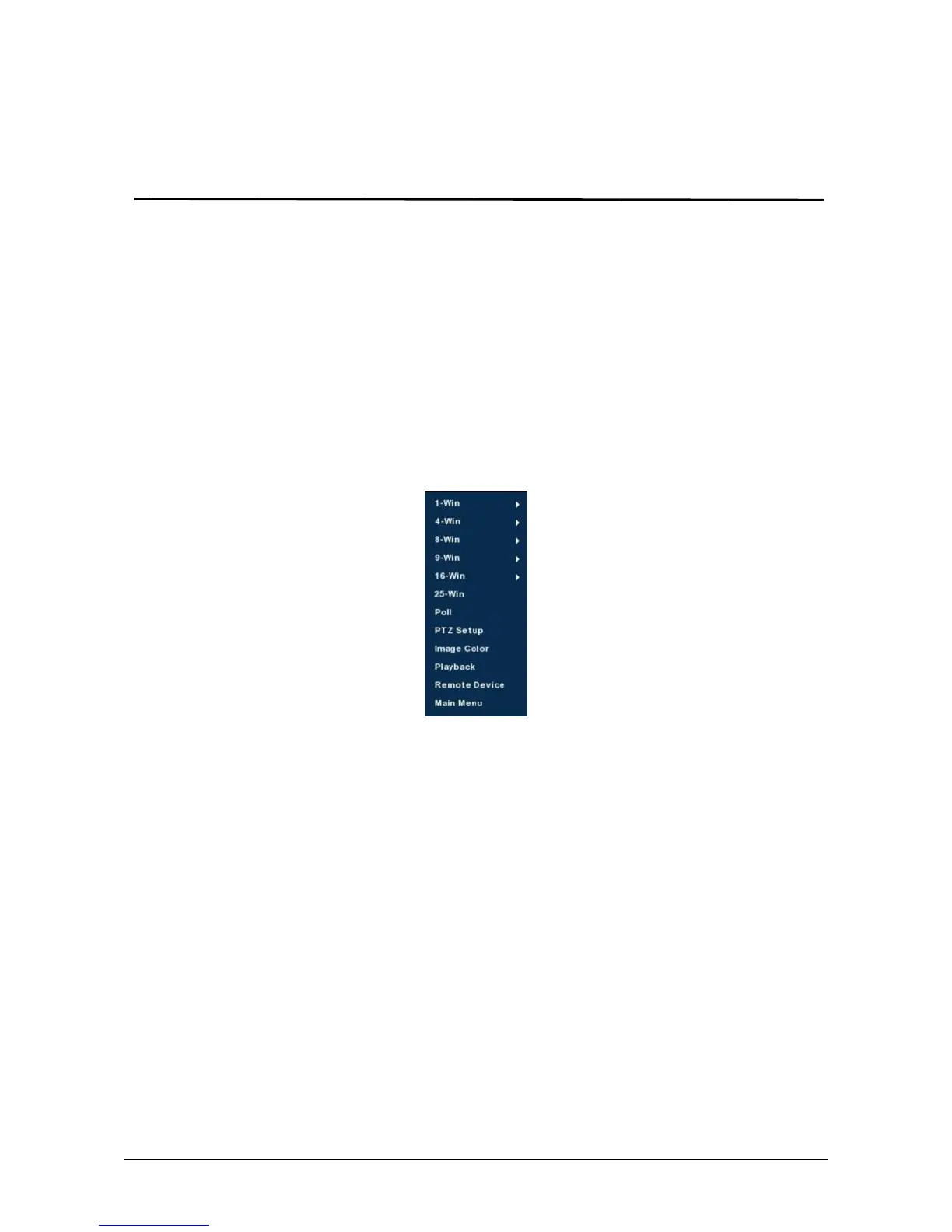
After login the system and back on the preview interface, click the right
mouse button and it will pop up the Menu Options, shown in Figure 3-1. Then
you can select options of the Main Menu, the Main Screen Switching,
Playback, PTZ Control and System Shutdown. In addition, you can set the
channel display as follows: single-screen display, four-screen display,
eight-screen display, night-screen display, sixteen-screen display. It needs to
set a specific number of channels to achieve single-screen display,
four-screen display, etc.. The corresponding operation of the Main Menu
Options will be illustrated in details in later chapters.
Figure 3-1
Single-screen Display: Select one channel to display from CH1~CH16 .
Four-screen Display: Divided into four groups to display (CH1~CH4、
CH5~CH8、CH9 ~CH12、CH13~CH16 ).
Eight-screen Display: Divided into two groups to display (CH1~CH8、
CH9 ~CH16).
Night-screen Display: Divided into two groups to display (CH1~CH9、
CH10~CH16).
Sixteen-screen Display: Display all channels CH1 ~CH16.
Twenty five-screen Display: Display all channels CH1 ~CH25.
Poll: NVR supports polling decoded output, in accordance with a
preset time interval, the polling scheme for automatic switching
display.
PTZ Setup: NVR supports PTZ control, allowing users to remotely control
the camera.(Detailed operation as 3.1.1)
Image Color: Click into the image color configuration interface.
(Detailed operation as 3.1.2)



 To Next Page