3.5.5 System
3.5.5.1 General
3.5.5.1.1 Device setting
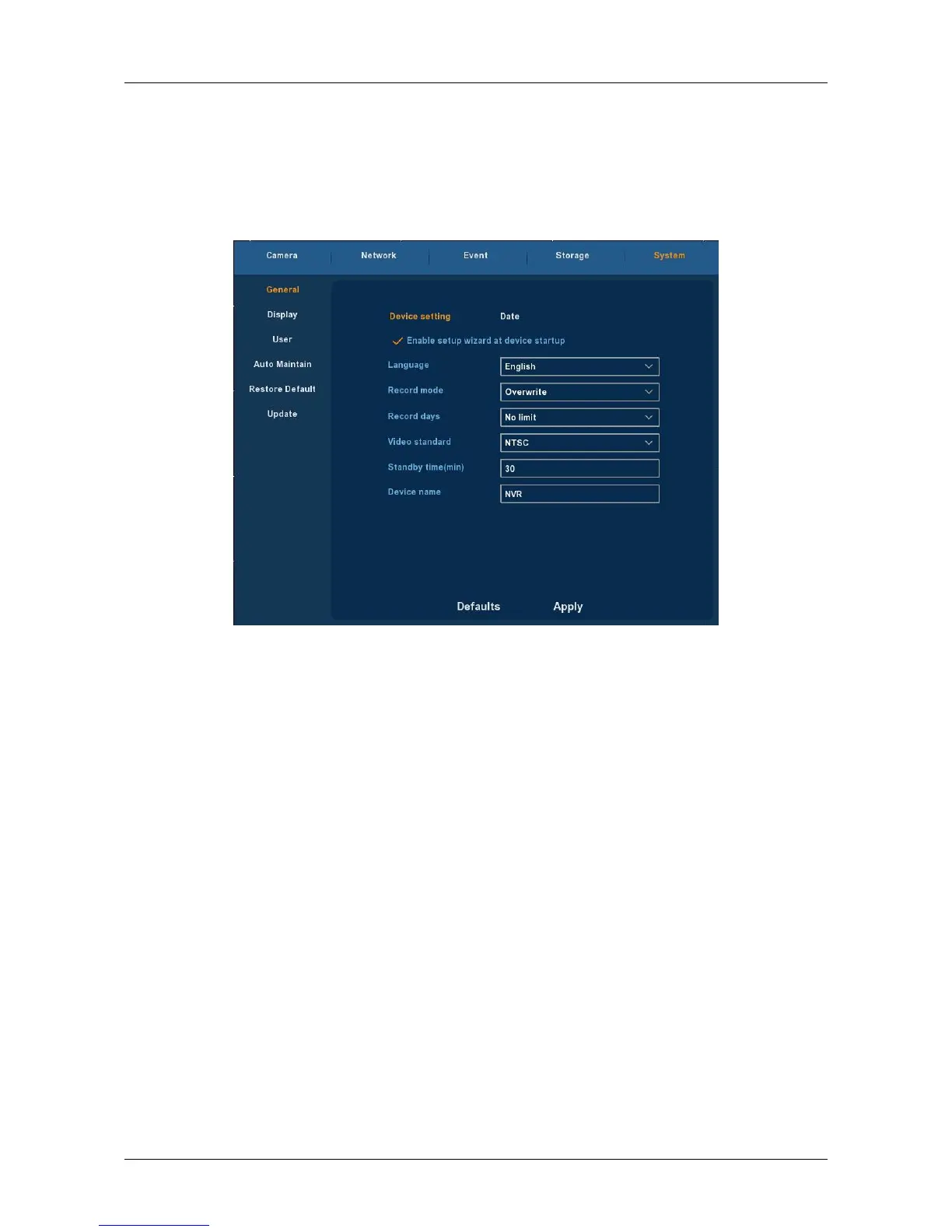
Choose ”Menu→Setup→System→General” in the Menu interface, the
Device setting interface is displayed, as Figure 3-27 shows.
Figure 3-27
Enable setup Wizard at device startup: Click the “√”, open boot wizards
function .
Language : the default language of the system boot, which is English,
but, at present, also supports Chinese, Polish, Czech, Russian, Thai
language, Hebrew, Persian, Bulgarian, Arabic, German, French,
Portuguese, Turkish, Spanish, Italian, Hungarian, Dutch and Korean.
Record Mode : Overwrite automatically, ie., NVR will automatically
cover the previous record if hard disk is full.
Record days: Reserved.
Video Standard : PAL or NTSC.
Standby Time: It means standby time of system without operation for
NVR. If time exceeds the standby time, then you should re-login in
system so as to operate NVR. Default standby time is 30 minutes. And
standby time range is: 1 to 120 minutes.
Device name: Please input a corresponding device name here.
Default : Restore all specifications or parameters of General setup to
be factory default specifications.
Apply: To save specifications or parameters of common setup.



 To Next Page