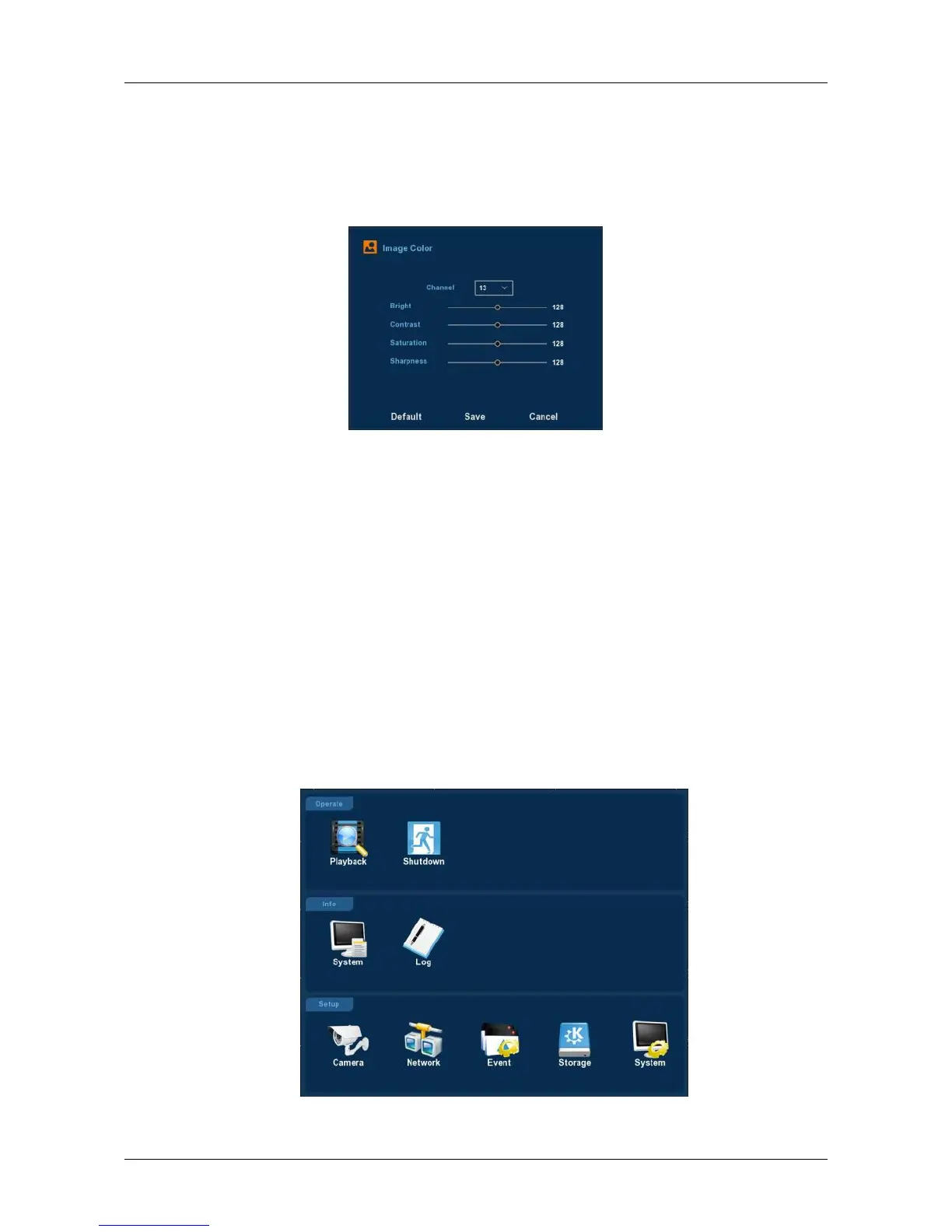
3.1.2 Image Color
On the preview interface, right click mouse, select the “Image Color”,
the SImage Color interface is displayed, then can configure the video
properties of IPC. As shown in Figure 3-5.
Figure 3-5
Channel: Select the Channel number.
Bright: It is to adjust monitor window bright.
Contrast: It is to adjust monitor window contrast.
Saturation: It is to adjust monitor window saturation.
Sharpness: The value here is to adjust the edge of the video.
Default: Recover all the Image Color parameters to default value.
Save: Save configured parameters value on Image Color interface.
Cancel: Return to last management menu.
3.2 Main Menu
Main Menu includes Record Playback, System Info, Camera, Network,
Event, Storage, and System Setup, as shown in Figure 3-6. Select one and
click the left mouse button to open the corresponding next menu options.
Figure 3-6



 To Next Page