3.5 Setup
3.5.1 Camera
3.5.1.1 Camera Setup
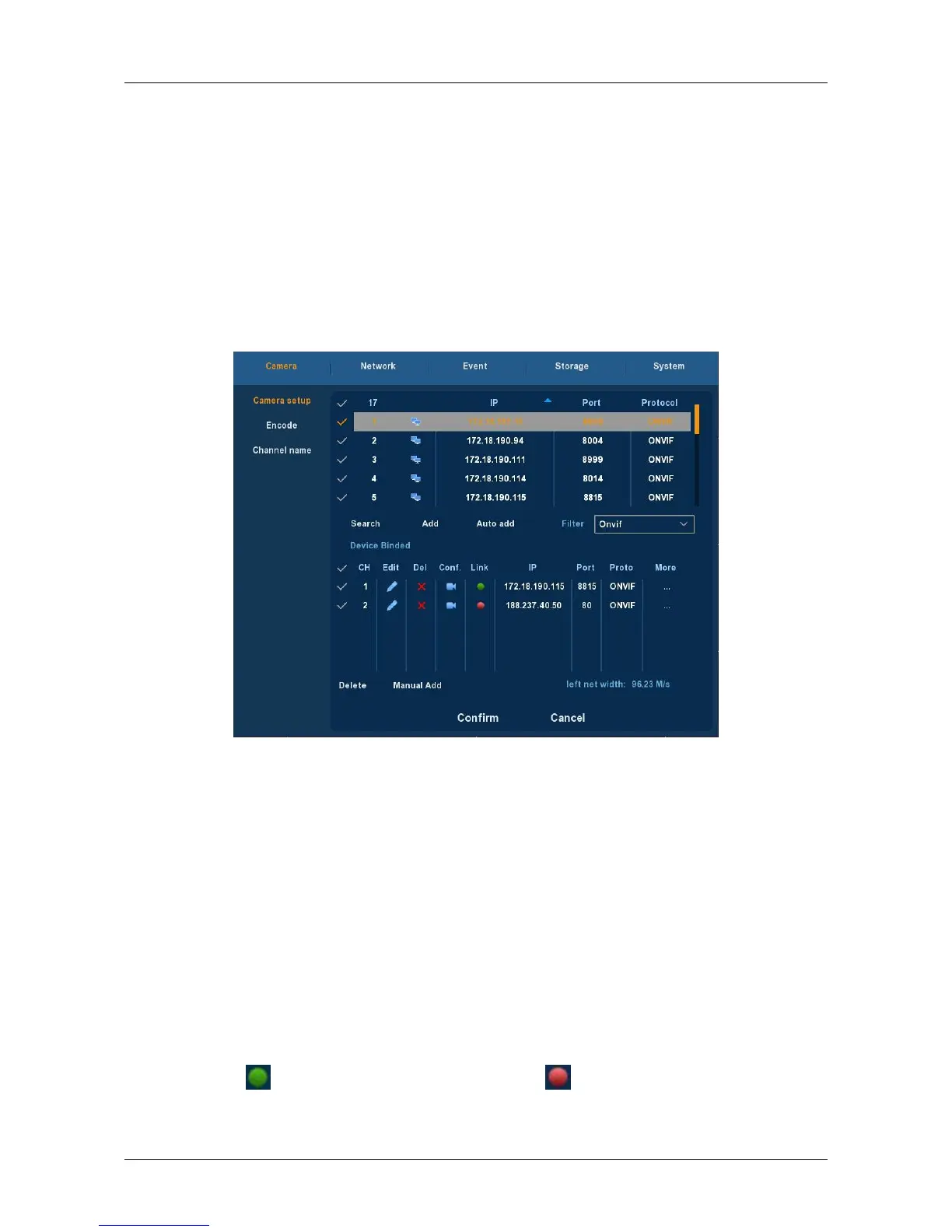
Choose ”Menu → Setup → Camera → Camera Setup” in the Menu
interface, or right-click in live view mode and select Remote Device from
the Shortcut Menu, the Camera Setup interface is displayed, as shown in
Figure 3-13. Here you can add/delete remote device and view its
corresponding information.
Figure 3-13
search: Click it to search IP address. It includes device IP address, port,
protocol. Use your mouse to click the item name, you can refresh
display order. Click IP address, system displays IP address from small to
large. Click IP address again, you can see icon, system displays IP
address from large to small. You can click other items to view
information conveniently.
Add: Click it to connect to the selected device and add it to the
Added device list. Support Batch add.
Filter: You can use it to display the specified devices from the added
device.
Delete: Please select one device in the Added device list and then
click “×” to remove.
Status: means connection is ok and means connection failed.
Confirm: Return to last menu.



 To Next Page