4 WEB Operation
4.1 Active X install
To make sure NVR connects to Internet successfully, open IE Browser,
input required IP address, the default setting is 192.168.1.168, and then the
Active X will be downloaded and installed automatically
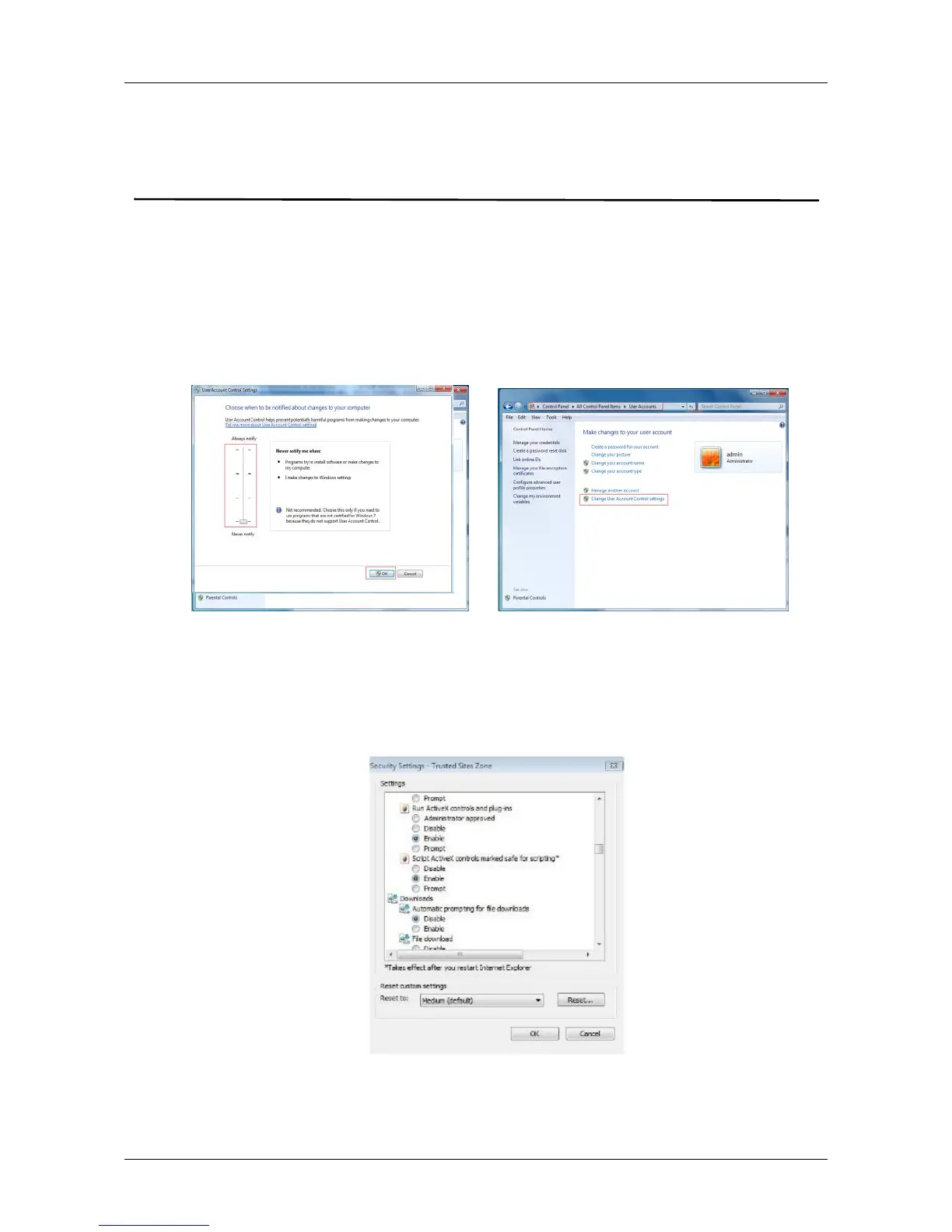
Notice: 1.For WIN 7, could have problems for backup and recording, if so,
please check the Admin setting, procedure as follows:
WIN7-1 WIN7-2
2.The Active X can't be loaded? Please adjust the security level and firewall
setting to the lowest, and make some adjustment to IE as well: Tool-Internet
Option- Custom level-ActiveX- enable all the options below ActiveX and
click OK! Finally, the Active X will be downloaded and installed
automatically, please refer to the Figure 6-1.
Figure 4-1



 To Next Page