3.5.4 Storage
3.5.4.1 Record
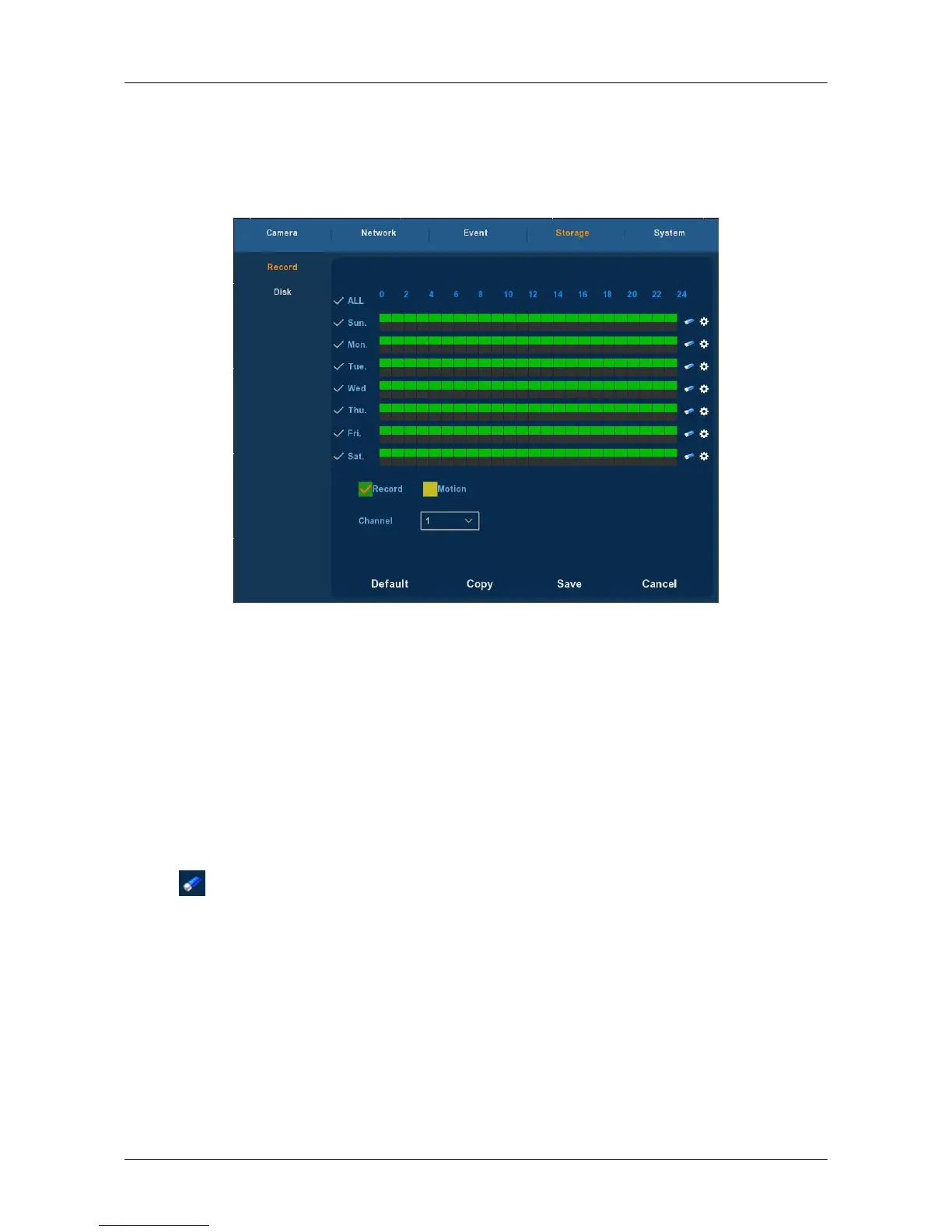
Choose ”Menu→Setup→Storage→Recode” in the Menu interface, the
Recode interface is displayed, as Figure 3-23 shows.
Figure 3-23
Channel: Please select the channel number first. You can select “ all” if
you want to set for the whole channels.
Record Type: Select check the box to select corresponding record
type. There are normal Recording and Motion Detection Recording.
Week day: Set the record schedule, and then the camera
automatically starts/stops recording according to the configured
Schedule. In the message box, you can choose the day to which you
want to set schedule. If you need set schedule every day, choose "all".
For the description of the color icon, Green icon stands for normal
recording, yellow icon stands for recording triggered by motion.
: Click it to delete a record type from one period.
Default: Restore parameters of record setup to be default ones.
Copy: After you complete the setup, you can click Copy button to
copy current setup to other channel(s).
Save: Save parameters of current interface.
Cancel: Return to the former interface.



 To Next Page