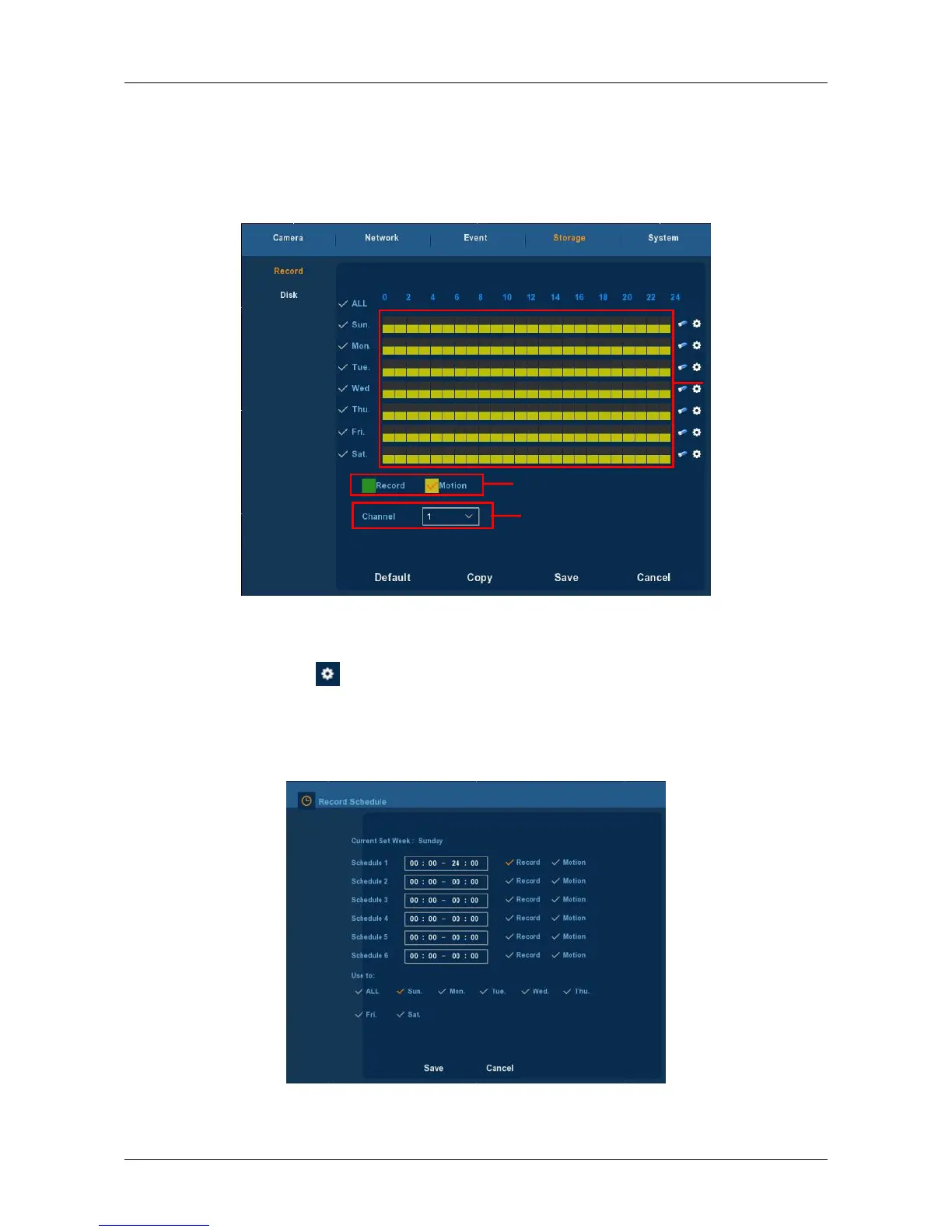
Drawing schedule record
Choose the channel and the record type "record" or "motion". Draw
the schedule line on the panel of the day you choose. Up to 6 periods can
be configured for each day.And the time periods can’t be overlapped
each other. See Figure 3-24.
Figure 3-24
Input data to set the schedule record
You can click button to set the accurate time of the schedule.
Choose the record type you wanted and the start time and the end time,
Up to 6 periods can be configured for each day. And the time periods can't
be overlapped each other. Then can used to which day you wanted to use.
See Figure 3-25.
Figure 3-25



 To Next Page