Room temperature
Heating control system
The indoor temperature depends on several factors. During
the hot season, solar radiation and heat given off by peo-
ple and equipment are sufficient to keep the house warm.
When it gets colder outside, the heating system must be
started. The colder its gets, the hotter the radiators must
be.
This adjustment is made automatically, however the basic
settings must first be made on the boiler, see the section
“Room temperature” – “Default setting”.
Default setting
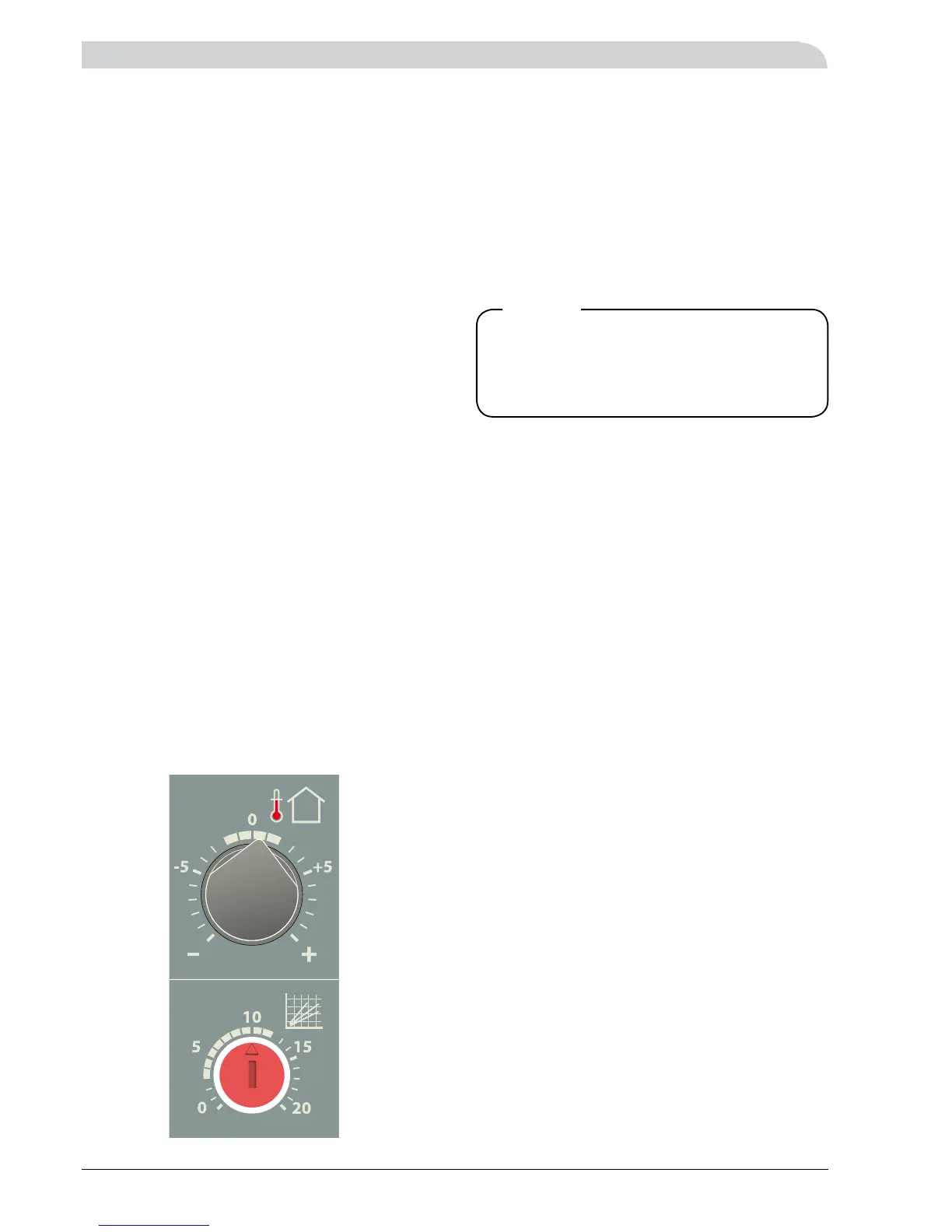
The basic heating is set with the “Heating curve selection”
knob and with the “Heating curve offset” knob.
If you do not know the correct settings use the basic data
from the map opposite.
If the required room temperature is not obtained, readjust-
ment may be necessary.
Note! Wait one day between settings so that the tempera-
tures have time to stabilise.
Readjusting the default settings
Cold weather conditions
If the room temperature is low, increase the “Heating curve
selection” setting by one step clockwise.
If the room temperature is high, reduce the “Heating curve
selection” setting by one step anti-clockwise.
Warm weather conditions
If the room temperature is low, increase the “Heating curve
offset” setting by one step clockwise.
If the room temperature is high, reduce the “Heating curve
offset” setting by one step anti-clockwise.
Changing the room temperature manually
If you want to temporarily or permanently lower or raise
the indoor temperature relative to the previously set tem-
perature, turn the “Heating curve offset” knob anti-clock-
wise or clockwise. One line approximately represents a 1
degree change in room temperature.
Blocking the immersion heater
FIGHTER 640P offers the possibility of blocking immersion
heater operations as a function of the outdoor tempera-
ture.
This means that when the outdoor temperature is above
a set value the immersion heater is not connected despite
compliance with the normal control conditions. The set
temperature should be selected so that the heating re-
quirement and the hot water requirement are lower than
the heat pump’s capacity above this outdoor temperature.
This temperature is dependent on the size of the house,
degree of insulation, required room temperature and hot
water usage.
Setting this temperature takes place according to the fol-
lowing:
Scroll to channel 9 using the “Channel selection” button.
The set value is then shown on the numerical display. To
change the value, press the “Ventilation” button (increase
the value one step) alternatively the “Extra hot water” but-
ton (lowers the value one step).
The value can be set between +1 and +25 °C. If this func-
tion is not required select +25 °C.
Note! The immersion heater can also be blocked perma-
nently irrespective of the outdoor temperature by using the
“Operating mode” button, see the section “Functions on
the front panel” – “Functions on the front panel”.
Note! However, when the “Extra hot water” function is ac-
tivated the immersion heater is permitted to be operational
irrespective of the above blocking.
Room temperature



 To Next Page