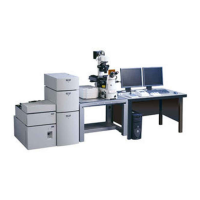
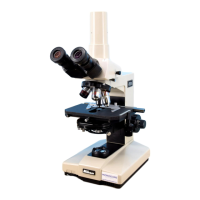
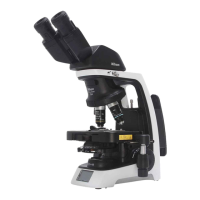
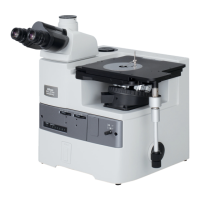
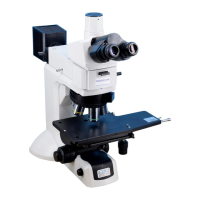
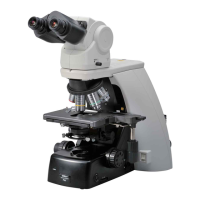
This document outlines the operation and maintenance of the Firefly Confocal (Nikon A1+) microscope, a sophisticated imaging system designed for detailed cellular and tissue analysis. It covers everything from initial setup and sample preparation to advanced imaging techniques and troubleshooting, ensuring users can effectively utilize the device for their research.
Function Description
The Firefly Confocal (Nikon A1+) is a high-resolution imaging system primarily used for confocal microscopy. Its core function is to capture detailed images of biological samples, particularly those labeled with fluorescent markers. Unlike traditional widefield microscopes, confocal microscopes use a pinhole to block out-of-focus light, resulting in sharper images with improved contrast and optical sectioning capabilities. This allows for the creation of 3D datasets and the visualization of structures within thick samples.
The system is equipped with multiple excitation lasers (405nm, 458nm, 488nm, 514nm, 561nm, and an optional 640nm far-red laser) to accommodate a wide range of fluorescent dyes and proteins. It integrates with Nis-Elements software, which provides a comprehensive interface for controlling the microscope, acquiring images, and managing experimental workflows. The software allows for the selection of specific wavelengths, adjustment of detector settings (gain, offset), and control over scan parameters such as speed and image size.
Key imaging capabilities include:
- Single XY Image Capture: Acquiring a single 2D image of a chosen field of view.
- Z Stack Acquisition: Capturing a series of images at different focal planes to reconstruct a 3D volume of the sample. This is crucial for understanding the spatial relationships of structures within a cell or tissue.
- XYZT Experiments (Time-Lapse Imaging): Performing time-lapse acquisitions to observe dynamic biological processes over extended periods, often combined with Z-stacking for 4D data (3D over time).
- Multi-position XYZT Experiments: Automating time-lapse and Z-stack acquisitions across multiple predefined locations on a sample, enabling high-throughput experiments.
- Tile-Scan Experiments: Stitching together multiple fields of view to create a large, high-resolution composite image of an extended sample area, overcoming the limitations of a single field of view.
- FRAP/Bleaching Experiments: Conducting Fluorescence Recovery After Photobleaching (FRAP) or other photobleaching experiments to study molecular dynamics, such as protein diffusion or binding kinetics.
The system also includes a Perfect Focus System (PFS) for real-time focus correction during long-term time-lapse experiments, especially those conducted at non-ambient temperatures. This feature compensates for thermal drift, ensuring that the focal plane remains stable throughout the experiment.
Usage Features
The Firefly Confocal is designed for user-friendly operation, with several features to streamline the imaging process:
System Startup and Shutdown:
- A clear, step-by-step guide is provided for powering on and off all necessary components, including lasers, controllers, and the PC.
- Specific instructions are given for the 640nm far-red laser, which has a distinct startup sequence involving an LED indicator.
- For live cell imaging, additional devices like an incubation chamber heater and CO2 controllers are integrated into the startup procedure.
Sample Mounting and Finding:
- Users are guided on selecting the correct stage insert and objective lens.
- The microscope's joystick and focus knob facilitate precise sample navigation and focusing.
- A crucial tip is provided for finding the focal plane by lowering the lens to its maximum extent and then slowly raising it while observing through the eyepieces.
- The importance of inverting slides so the cover glass is closest to the lens is emphasized for optimal imaging.
Nis-Elements Software Layouts:
- The software offers different layout profiles ("Confocal," "FRET-FRAP," "User") to adapt the interface to specific experimental needs. The "Confocal" layout is the default for general confocal imaging.
- Users can customize the "User" layout to suit their preferences, with changes saved to their individual accounts.
Confocal Channel Setup:
- The "OC Panel" provides shortcut buttons for selecting predefined channel presets, which automatically initialize the relevant lasers and detectors for common fluorophores (e.g., DAPI, FITC, TxRd).
- The A1Plus Compact GUI displays active detectors and lasers, allowing for individual adjustment of HV (gain), offset, and laser power.
Image Acquisition and Optimization:
- Pre-scan settings: Users can select scan direction (unidirectional/bidirectional), image size (e.g., 512x512, 1024x1024 pixels), and scan speed (pixel dwell time). Bidirectional scanning doubles the frame rate, useful for live cell experiments.
- Optimal Pinhole: A dedicated button sets the detection pinhole to an optimal diameter, balancing light throughput, noise, and resolution for a thinner optical section.
- Channel Series: This mode ensures sequential scanning of different lasers, preventing fluorescence crosstalk.
- Image Saturation: The software includes a "Pixel Saturation Indicator" to highlight pixels that have reached maximum intensity (4095 in 12-bit images), allowing users to adjust settings to prevent oversaturation and loss of data.
- AutoGain (AG) button: Automatically calculates an optimal gain value based on current laser power, simplifying initial setup.
- Optical Zoom: Allows for higher magnification of a Region of Interest (ROI) without changing objectives, improving spatial resolution but potentially increasing photobleaching. The "Nyquist XY" button helps set an optimal zoom level.
Image Viewing and Export:
- Captured images can be viewed as a merged composite or as individual channel images.
- A "montaged view" icon provides a combined display of all channels.
- Scale bars can be added and customized (length, width, color) to images for accurate representation of dimensions.
- Z-stacks can be viewed in various ways: as individual slices, orthogonal views (XY, YZ), volume renderings, or montages of all slices.
- Maximum Intensity Projections (MIP) can be generated from Z-stacks.
- Images can be saved in ND2 format (Nikon's proprietary format) or exported to TIFF format, with options for bit depth (8-bit, 12-bit, 16-bit), channel handling (mono, RGB merge, multichannel), and compression.
Advanced Experiment Setup:
- XYZT and Multi-position XYZT: Detailed instructions are provided for configuring time intervals, durations, and loops, as well as defining multiple stage positions for automated experiments.
- Tile-Scan: Users can define tiled areas by fields of view or absolute dimensions, with options for overlap percentage and automatic stitching. Advanced tiling allows for capturing low-magnification overview images to guide high-magnification tile scans.
- FRAP/Bleaching: The "FRET-FRAP" layout provides specific tools for defining acquisition and bleaching phases, setting laser power for bleaching, and selecting ROIs (stimulation, background, reference) for quantitative analysis.
Maintenance Features
The manual emphasizes several maintenance aspects to ensure the longevity and optimal performance of the microscope:
- Cleaning Objectives: Users are instructed to clean oil immersion lenses with lens tissue immediately after use. This is critical to prevent oil residue from hardening and damaging the optics.
- Reporting Issues: A strong emphasis is placed on reporting any issues, no matter how minor, to facility staff. This proactive approach helps in early detection and resolution of problems, preventing more significant damage or downtime.
- Waste Disposal: Clinical waste generated during experiments must be disposed of in designated orange bins, adhering to safety and biohazard protocols.
- Kohler Illumination Adjustment: The manual provides a detailed procedure for adjusting Kohler illumination, which is essential for achieving optimal brightfield imaging. It specifies that Kohler illumination should be adjusted whenever the objective lens is changed, ensuring consistent and high-quality brightfield views.
- Risk Assessment and Training: Users are required to have relevant Risk Assessment/COSHH forms and undergo training before using the facility's resources. This ensures safe and competent operation, minimizing the risk of damage to the equipment or harm to the user.
- Microscope Cleanliness: Users are expected to leave the microscope clean and tidy for the next user, promoting a shared responsibility for equipment care.
By following these guidelines, users can ensure the Firefly Confocal (Nikon A1+) remains in excellent working condition, providing reliable and high-quality imaging results for their research.

 Need help?
 General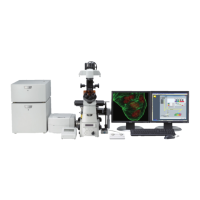

 To Next Page